 Steam · Set up
How to Add a Phone Number and Change Your Email on Steam
Go to Account details on Steam. Under Contact info, click Add a phone number to add your number, or Change my email address to change your email. Then enter the verification code Steam sends you.
This guide shows you how to add a phone number and change the email address linked to your Steam account. Both help Steam confirm that you own the account, and they make it faster to recover your account if you forget your password.
What you need
Open the Account details page
Every change in this guide starts from your account details page. Once you're signed in, you can open the Account details page directly or follow the steps below.
Open the Steam app on your computer, or go to store.steampowered.com in a browser and sign in.
Click your account name in the top-right corner.
Select Account details from the drop-down menu.
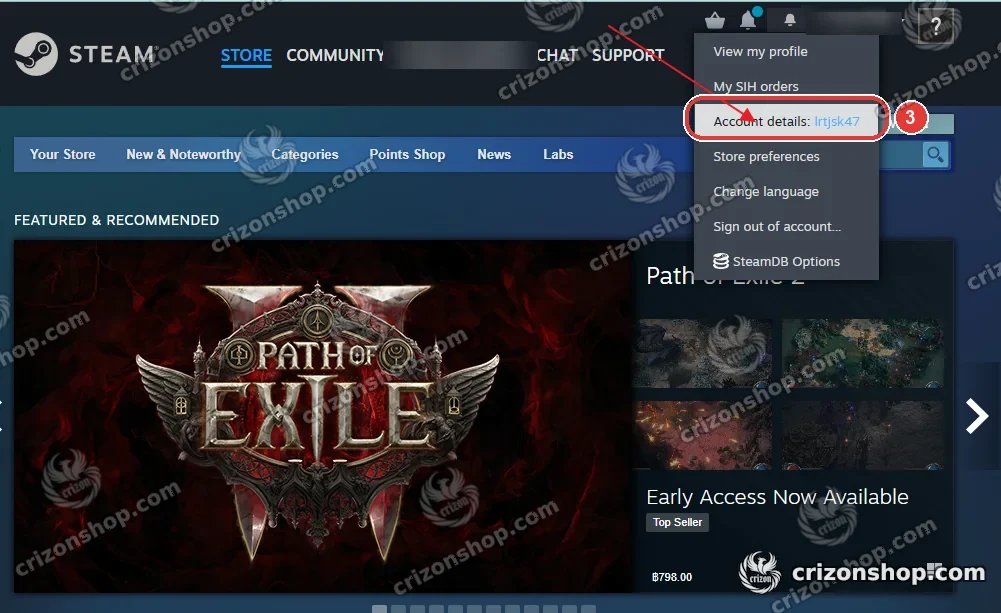
Click “Account details”. Scroll down to Contact info, which shows your account's email and phone number.
Add a phone number
Under Contact info, click Add a phone number.
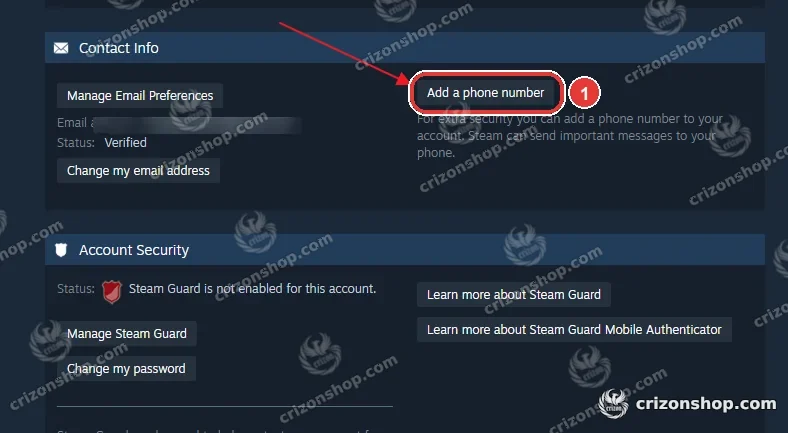
Click “Add a phone number” (Contact info) to add a phone number. Select your country code from the drop-down list (Vietnam is +84).
Enter your phone number without the leading 0 (for example, enter 0912345678 as 912345678).
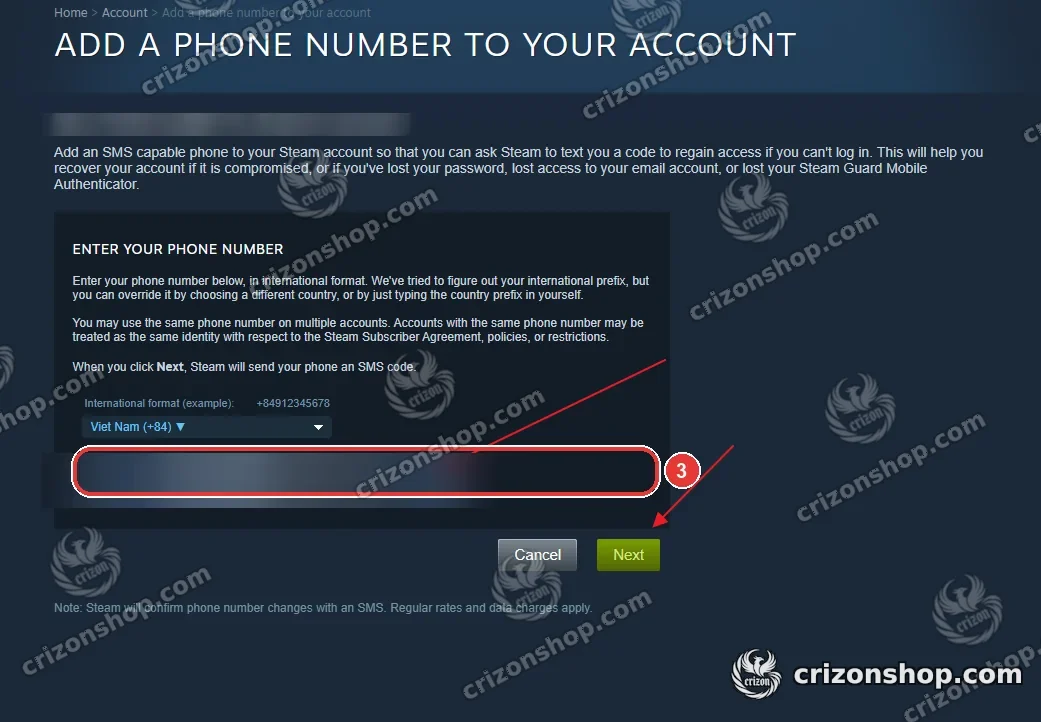
Enter your phone number in the “ENTER YOUR PHONE NUMBER” field. Click Next.
If Steam says it has sent a confirmation email, open the inbox of the email linked to your account and click the link in that email.
Go back to the Steam page and click Next.
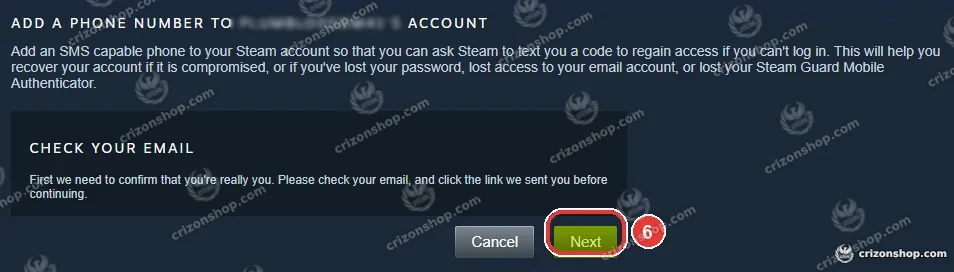
Click “Next” to continue. Enter the code Steam texted to the number you just added, then click Next.
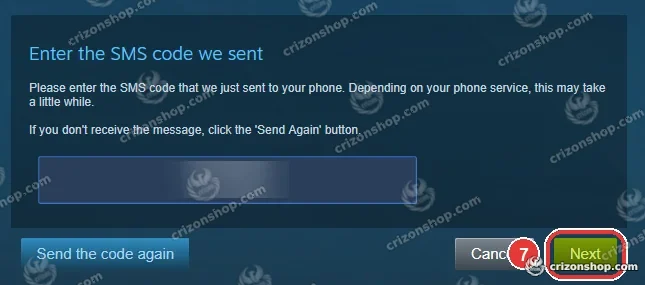
Enter the SMS code, then click “Next”. Once Steam confirms the phone number was added, you're done.
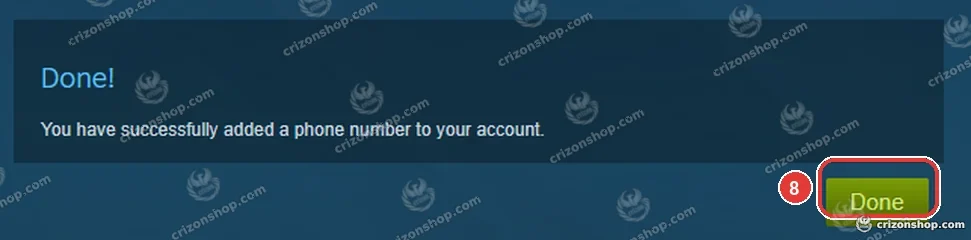
Click “Done” to finish.
Change your account email
Add a phone number before you change your email. That gives you another way to get verification codes by SMS, so you don't have to rely on your old inbox.
Under Contact info, click Change my email address. Steam takes you to Steam Support.
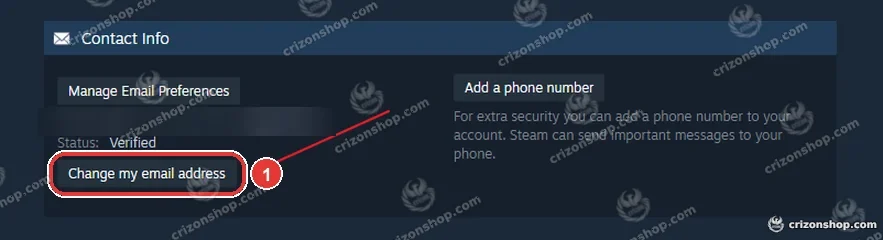
Click “Change my email address” (Contact info) to go to Steam Support. Choose how you want to get a verification code from the list, such as sending it to the Steam Mobile app, texting it to the phone number you added, or emailing it to your current address.
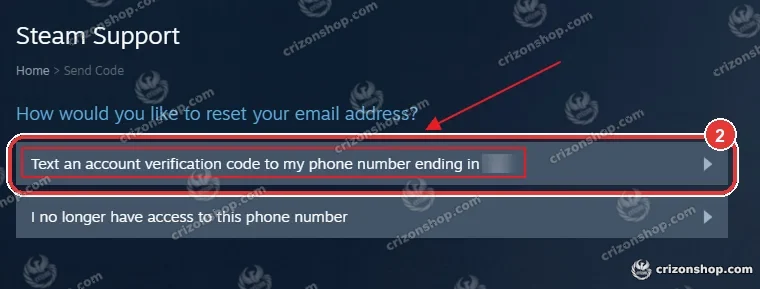
Click “Text an account verification code to my phone number ending in '38'”. Enter the code you received, then click Continue. If you chose the Steam Mobile app, open the app and approve the request.
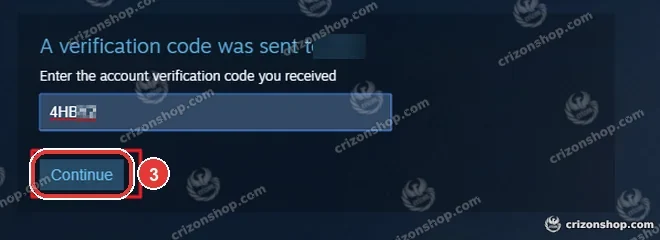
Enter the code you received, then click “Continue”. Type your new email address, then click Change Email.
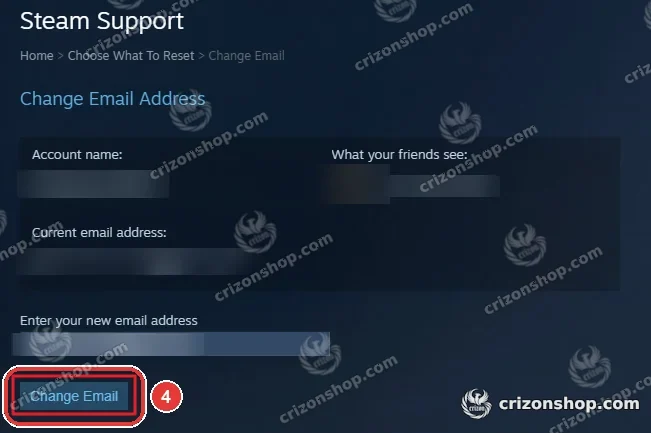
Enter your new email, then click “Change Email”. Open the inbox of your new email and find the message Steam just sent with a confirmation code.
Enter that code on the Steam Support page, then click Confirm Email Change.
Add one more layer of protection
Once the phone number and email are yours, turn on Steam Guard in the Steam Mobile app. Then every sign-in from an unfamiliar device has to be approved on your phone. You'll find setup steps in Steam Support's guide.
Frequently asked questions
Check that you selected the right country code (+84 for Vietnam) and removed the leading 0 from your phone number. Wait a few minutes, then click the resend link right on the code entry screen. If the code still doesn't arrive, check whether your phone is blocking messages from unknown senders, or try another number that can receive SMS.
When you choose how to get a code, you can pick SMS or the Steam Mobile app if you've set them up. If you have no other option, select I no longer have access to this email address. Steam Support will guide you from there and may ask for more information to confirm you own the account.
Check your Spam, Promotions, or Junk folders, and make sure you typed the email address correctly. The email usually arrives within a few minutes. If it still hasn't arrived after a while, go through the steps again so Steam sends a new one.
No, but Steam recommends it, since a phone number helps you recover your account quickly if you lose access. It also gives you another way to get codes when you need to change your email.
Related guides
How to Recover Your Steam Account When You've Lost Access to Your EmailHow to Sign In to Steam and Get a Steam Guard CodeHow to Switch Between Multiple Steam Accounts on One ComputerStill need help?
Send your order code and we can sort it out faster.
