 Avast · Activate
How to Enter an Avast Mobile Security Premium Activation Code
Open the Avast Mobile Security app, go to Subscription, choose to enter an activation code, and type the full code including the hyphens. The guide has separate steps for Android and iPhone.
This guide shows you how to enter an activation code to unlock Avast Mobile Security Premium on an Android phone, iPhone, or iPad. The steps were checked against Avast's activation support page.
Before you start
Enter the code in an app you already use
If you've already installed the app and opened it at least once, follow the steps for your device.
Open Avast Mobile Security from your home screen.
Tap the Account icon, then tap the Subscription tile.
Select Use an activation code.
Type or paste your activation code into the field. Keep all the hyphens.
Tap Continue to finish.
Open Avast Mobile Security from your home screen.
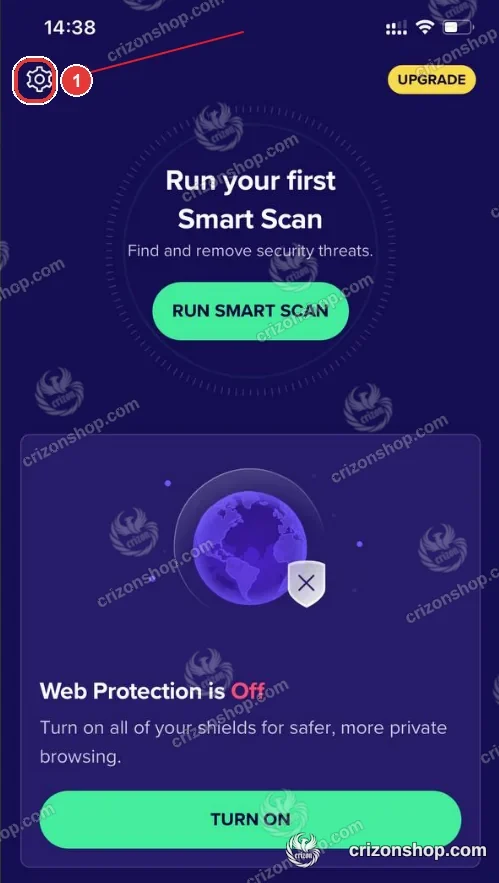
Tap the gear icon (Settings). Tap the gear icon (Settings), then tap the Subscription tile. It shows your current plan, usually Free.
Select Enter activation code.
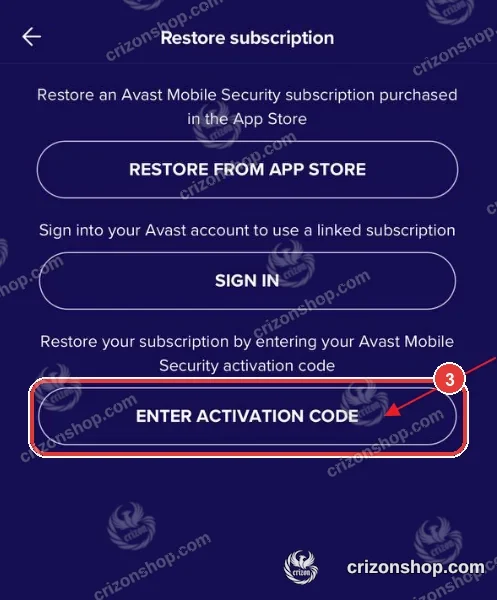
Tap ENTER ACTIVATION CODE. Type or paste your activation code into the field. Keep all the hyphens.
Tap OK to finish.
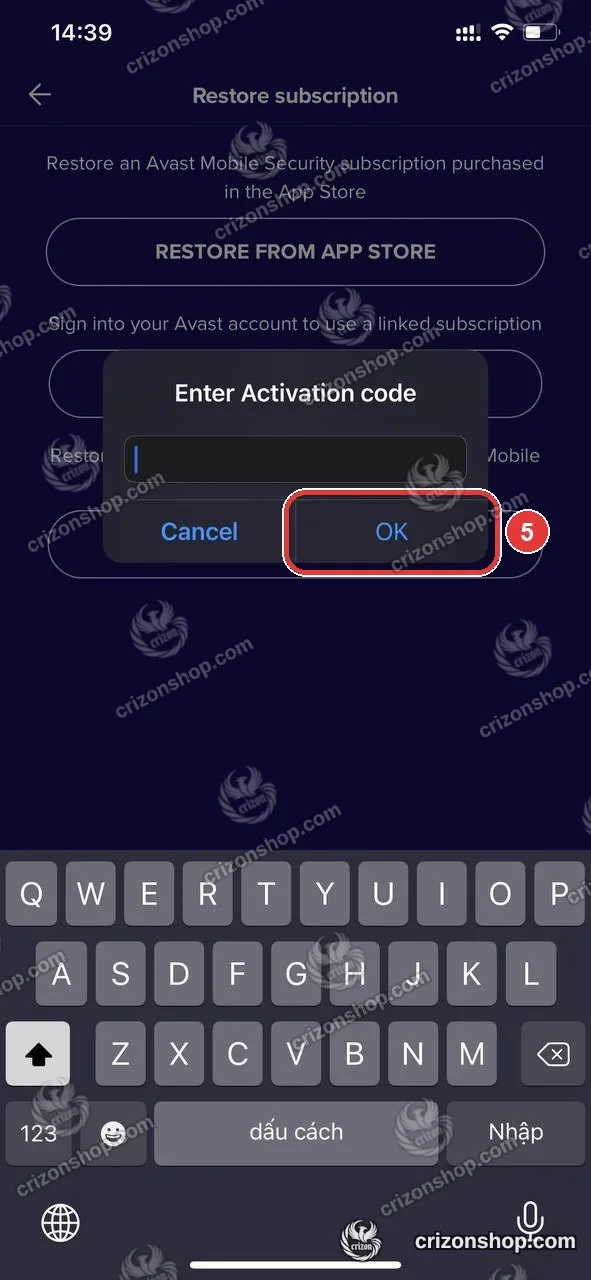
Tap OK to finish.
Enter the code when you first open the app
If you've just installed the app, Avast offers another route through the upgrade screen. Button names may differ slightly between versions. If they do, pick the option with a similar meaning.
Open the app, tap Scan now, and grant the permissions the app asks for.
When the scan finishes, select Get complete protection.
Tap the three-dot icon ⋮, then select Already purchased?.
Select Redeem an activation code.
Enter the code with its hyphens, then tap Use this code.
Open the app, tap Not now, then allow the permissions the app asks for.
Tap Upgrade in the top-right corner.
Select Already purchased?, then select Enter Avast subscription code.
Enter the code with its hyphens, then tap OK twice.
If the app won't accept your code
Try these fixes one at a time, in the order Avast recommends.
Check every character and hyphen against your original code.
Activate with your Avast Account instead of the code. Sign in with the same email you used for the purchase. On Android, at the Already purchased? step, select Restore from Avast Account › Email. On iPhone, go to Upgrade › Already purchased? and select Sign in. Sign in, then tap Confirm and OK.
Uninstall the app completely, reinstall it from Google Play or the App Store, and enter the code again.
If it still doesn't work, write down the error message and contact Avast Support through the Avast support page.
Frequently asked questions
The code comes in the order confirmation email when you buy an Avast plan. You can also sign in to Avast Account with the email you used for the purchase, then open the subscriptions section to look up your code.
No. You enter the Premium code right in the Avast Mobile Security app you're already using. Once it's activated, the app unlocks the paid features. Avast only recommends uninstalling and reinstalling if the code fails several times.
It depends on the plan tied to the code. Avast Premium Security (Multi-Device) covers up to 10 devices at the same time, running Windows, Mac, Android, and iOS. For other plans, sign in to Avast Account to see how many devices your plan allows.
Related guides
How to Activate Avast BreachGuard with a Sign-in KeyHow to Enter an Avast AntiTrack Premium Activation Code on Your ComputerHow to Enter an Avast Driver Updater Activation Code on WindowsStill need help?
Send your order code and we can sort it out faster.
