 Avast · Activate
How to Enter an Avast AntiTrack Premium Activation Code on Your Computer
Open Avast AntiTrack, choose Already purchased?, paste your activation code with all its hyphens, and click Activate. This guide covers installation on Windows and Mac, plus where to enter the code if you need to reactivate later.
This guide shows you how to install Avast AntiTrack on your computer and enter an activation code (key) to unlock the paid version. The steps follow Avast's current support documentation for Windows and Mac.
Before you start
Step 1. Download and install Avast AntiTrack
Open Avast's installation guide, select your operating system, and click the download button in the article. Once the download finishes, follow the steps for your device.
Save the
avast_antitrack_online_setup.exefile to your computer. It usually goes to your Downloads folder.Right-click the file and select Run as administrator.
When the User Account Control dialog appears, click Yes.
To change the setup language, click the language name in the top-right corner.
Click Install and wait for the installer to finish.
The final screen shows two options: See subscription options and Already purchased?. Move on to Step 2.
Download the
.dmgsetup file.Double-click the downloaded file to open it.
Drag the Avast AntiTrack icon into the Applications folder.
In the menu bar, choose Go ▸ Applications, then double-click Avast AntiTrack.
Click Open and enter your Mac password when prompted.
Follow the prompts to install the helper components until setup is complete.
Step 2. Enter your activation code
If the app isn't open yet, double-click the Avast AntiTrack icon on your desktop.
Select Already purchased?.
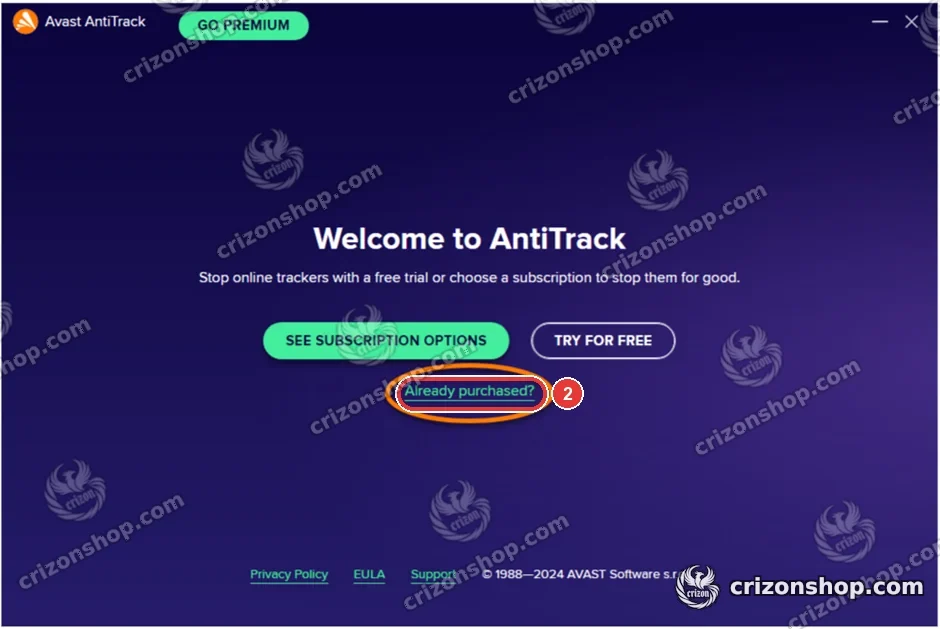
Click “Already purchased?”. Type or paste your activation code into the field, keeping all the hyphens.
Click Activate. In some versions, this button is labeled Continue.
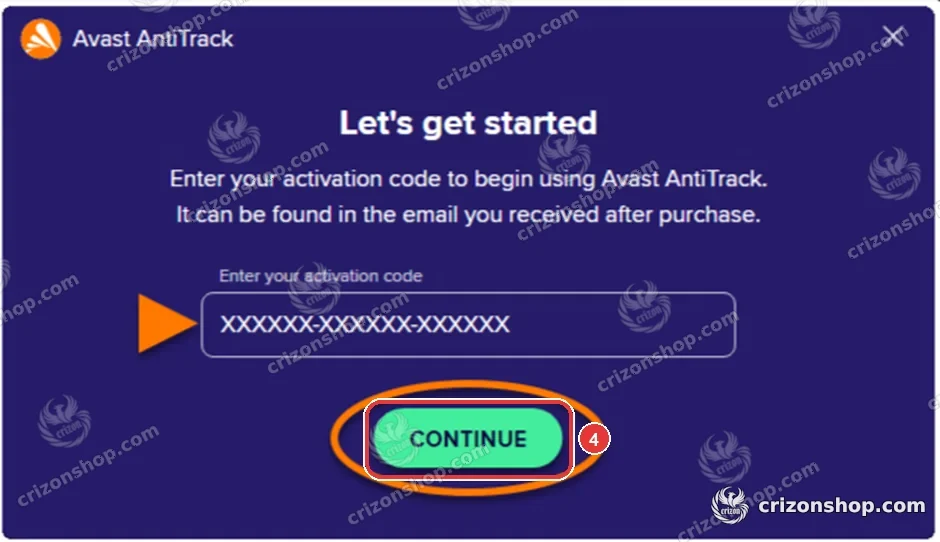
Click “CONTINUE” (Activate) to proceed with activation. If you see a Got it button, click it to dismiss the message.
The app will then prompt you to add its browser extension. Continue with Step 3.
On the intro screens, click Next to move through the walkthrough.
When you reach the Let's get started! screen, type or paste your activation code, keeping all the hyphens.
Click Activate.
When you see Activation successful, the app is activated.
Skipped the activation screen? Here's where to enter your code
You don't need to reinstall the app. The code entry option is always available in Avast AntiTrack's settings.
| Operating system | Path in the app |
|---|---|
| Windows | Settings (gear icon) ▸ Subscription |
| Mac | Settings ▸ Activation Keys |
When your subscription expires, go to the same place to enter a new code and reactivate.
Step 3. Install the browser extension
According to Avast, you need the AntiTrack browser extension to get the full anti-tracking features. After activating, follow the on-screen prompts to add the extension to each browser you use. For more details, see Avast's article on the AntiTrack browser extension.
Frequently asked questions
Check that the code includes all its hyphens and has no extra spaces. Make sure it's a code for Avast AntiTrack, not for a different Avast product. If you just bought the subscription, Avast notes that it can take up to 24 hours to sync. If you've tried all of this and still get an error, contact the seller you got the code from or Avast Support.
If you bought directly from Avast, sign in to the Avast Account that holds your AntiTrack subscription to view the code again. If you bought from a reseller, the code is wherever that reseller delivered it to you.
According to Avast, the app is no longer available for new installs on Google Play. If you installed it before, you can reinstall it from your app history under Manage apps & device in Google Play. Subscriptions bought through Google Play activate automatically, so you don't need to enter a code.
Related guides
How to Activate Avast BreachGuard with a Sign-in KeyHow to Enter an Avast Driver Updater Activation Code on WindowsHow to Enter an Avast Mobile Security Premium Activation CodeStill need help?
Send your order code and we can sort it out faster.
