 Corel · Activate
How to Enter a Serial Number to Activate Corel Painter Essentials 8
Download the Painter Essentials 8 trial from Corel, open the app, and choose Already Purchased. Then enter your serial number and Corel account details, and confirm while your computer is online.
This guide shows you how to install Corel Painter Essentials 8 from the official website and enter a serial number to unlock the full version. Before you start, have your Painter Essentials 8 key ready and make sure you have a stable internet connection.
Before you start
Download and install Painter Essentials 8
Open the Painter Essentials page on the official Painter website.
Click Download trial to download the installer.
Run the downloaded file and follow the installer until it finishes.
Enter your serial number to activate
Open Painter Essentials 8.
In the window that appears at startup, click Already Purchased.
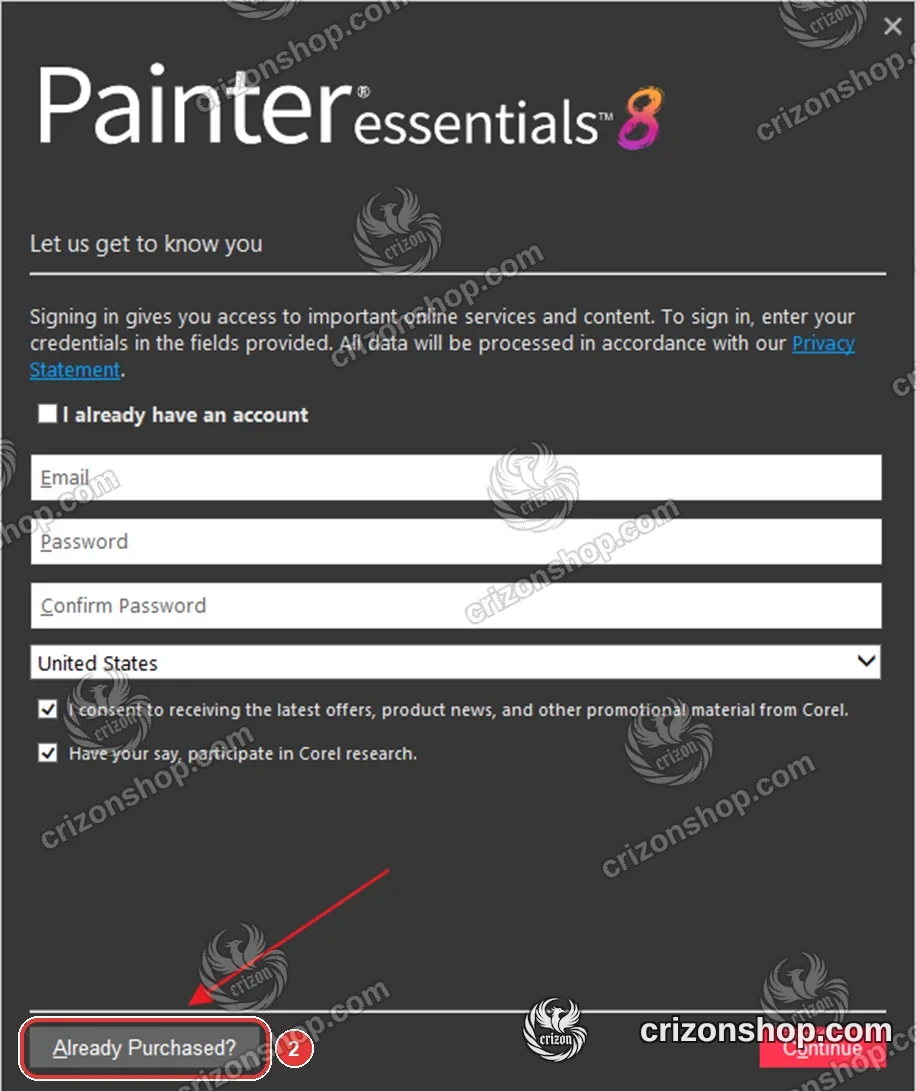
Click “Already Purchased?”. Choose Enter Serial Number.
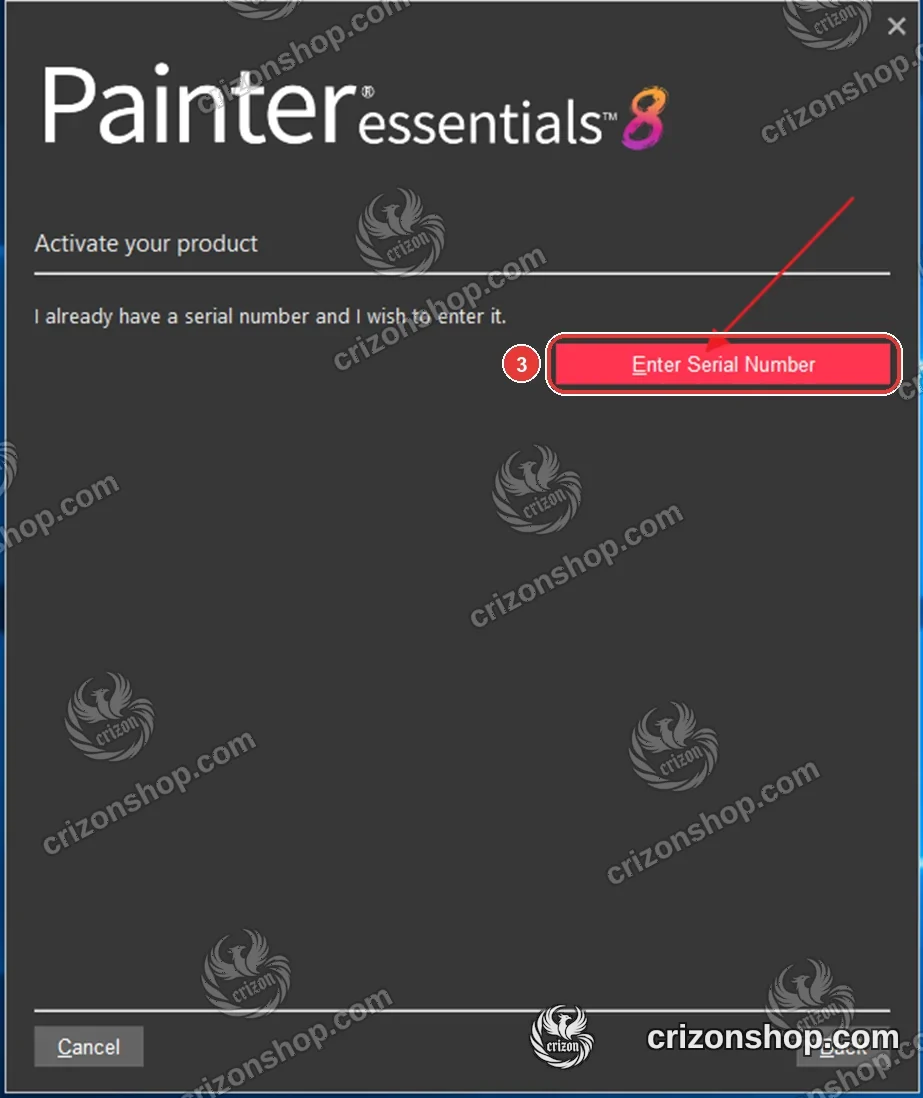
Click “Enter Serial Number” to enter your serial number. Type your serial number in the field at the top of the window.
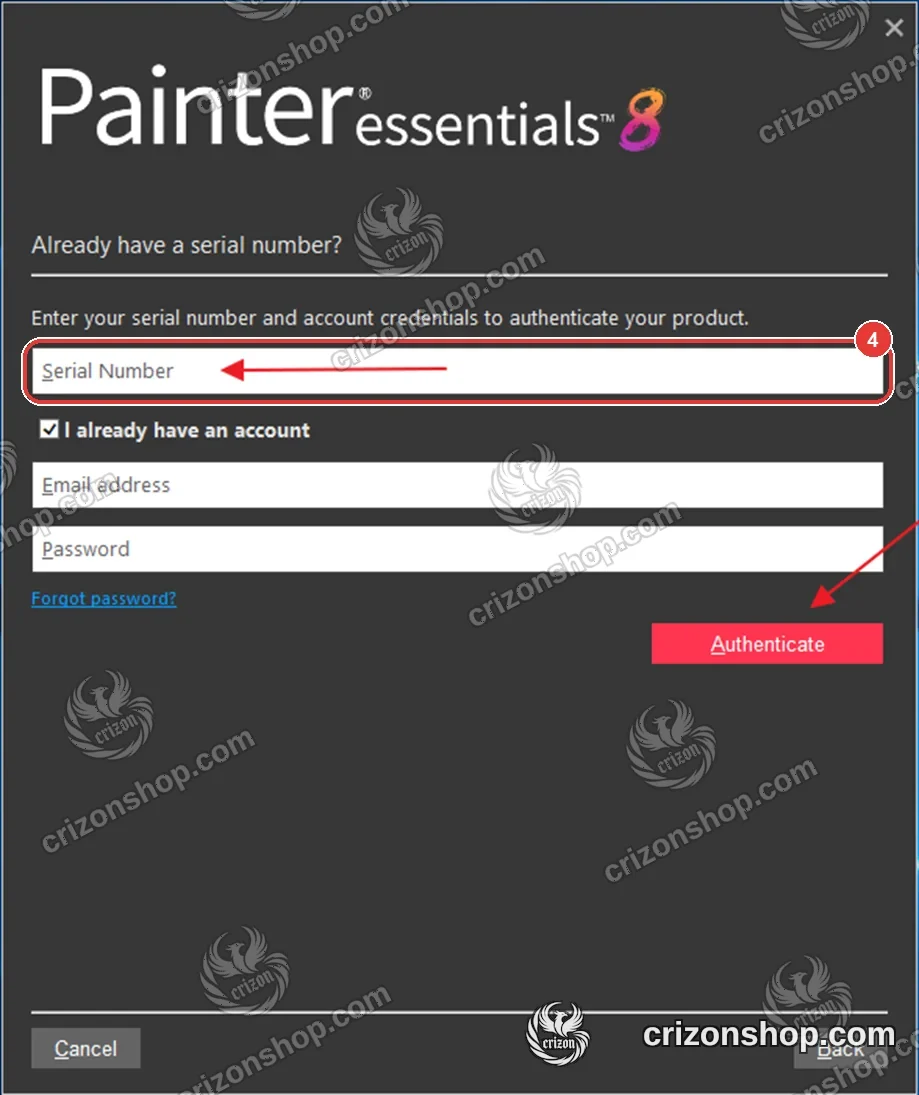
Enter your serial number in the “Serial Number” field. Fill in your email and any other Corel account details the window asks for.
Click Authenticate (on some versions, the button is labeled Connect).
Wait for the app to confirm that activation was successful, then use it as usual.
Tips to avoid invalid serial number errors
- Type the whole key in uppercase, because some Corel serial numbers are case-sensitive.
- Make sure there are no extra spaces at the start or end of the key, especially if you paste it from an email or message.
- If the pasted key still shows as invalid, try typing it in one character at a time.
- Double-check characters that are easy to mix up, such as the number 0 and the letter O, the letter W and two Vs, and the letters S or B and the number 8.
Frequently asked questions
No. Corel says the trial version installed on your computer is unlocked to the full version as soon as you enter a valid serial number through the Already Purchased button.
The official product page clearly states that your computer must be connected to the internet to register and activate. Connect to the internet first, then reopen the app and repeat the serial number steps.
If you bought directly from Corel, sign in to your Corel account with the email you used for the purchase, open Your Order Status & History, then click the order number to see the confirmation with your serial number. For boxed versions, the serial number is usually on a sticker on the disc case. For more details, see Corel's guide to finding your serial number.
Check again that the key starts with PE and that it's actually a Painter Essentials 8 key. If it's still rejected, contact the seller you got the key from or Corel Customer Support so they can check the key's status.
Related guides
How to Activate a GRFX Studio Key for Corel PaintShop ProHow to Activate Corel AfterShot Pro 3 with a Serial NumberHow to Activate Corel ParticleShop with a Serial NumberStill need help?
Send your order code and we can sort it out faster.
