 Corel · Activate
How to Activate a GRFX Studio Key for Corel PaintShop Pro
Open GRFX Studio, choose Activate Software, paste your key, and click Activate Software again. Corel Edition asks for your email before you can enter the key. When you're done, open the plugin from the Effects menu.
This guide shows you how to install GRFX Studio, enter your activation key, and open the plugin inside Corel PaintShop Pro on Windows. The steps follow Corel's official instructions for both GRFX Studio Pro and GRFX Studio Corel Edition.
Before you start
Install GRFX Studio
GRFX Studio Pro bought in the Corel app
Open PaintShop Pro.
Go to Get More and choose My Library.
Select GRFX Studio Pro - Upgrade to download the installer.
The installer opens on its own. Follow the on-screen instructions until the installation finishes.
GRFX Studio Corel Edition included with PaintShop Pro 2020 Ultimate
This version is usually installed along with PaintShop Pro. Check the Effects › Plugins › AutoFX Software menu. If GRFX Studio isn't listed there, install it manually from the PaintShop Pro 2020 setup folder below.
C:\Program Files (x86)\Corel\Corel PaintShop Pro 2020 Setup FilesOpen File Explorer and paste the path above into the address bar.
Open the
Autorun.exefile.In the window that appears, click Install GRFX Studio.
Wait for the installation to finish, then go on to activation.
Enter your activation key
Open GRFX Studio Pro from its desktop icon, or click Start and choose GRFX Studio Pro.
On the first screen, choose Activate Software.
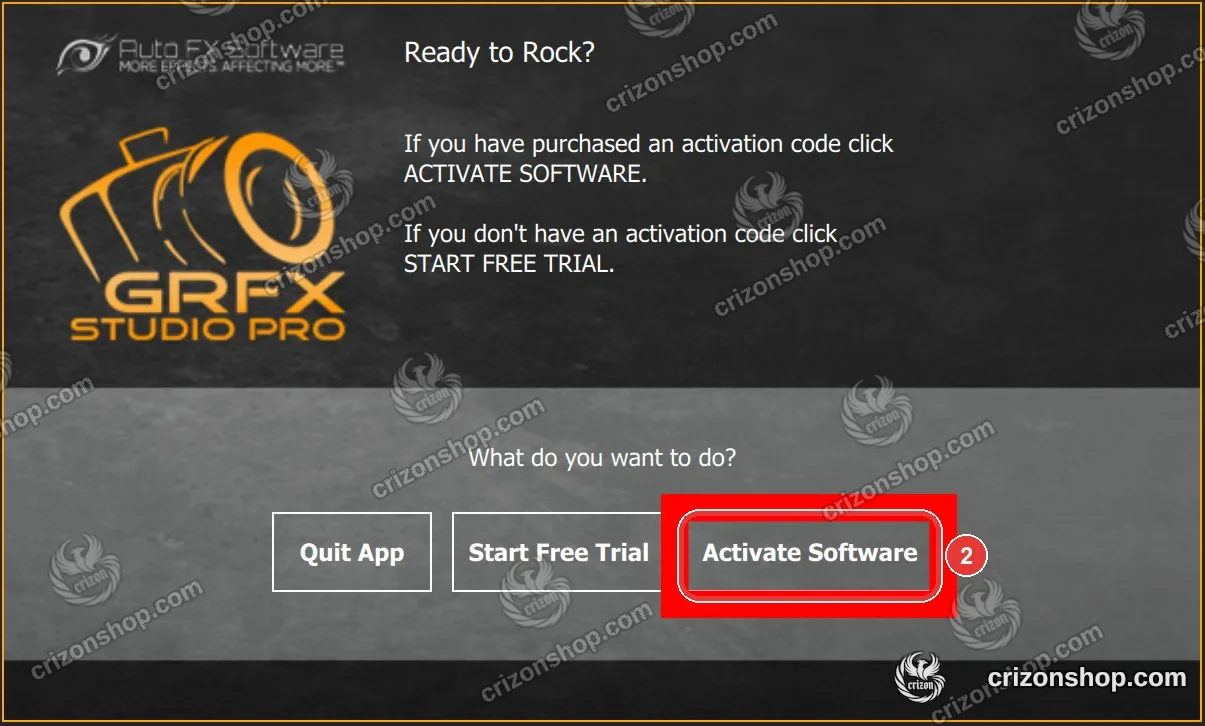
Click “Activate Software” to activate the software. Paste your key into the activation code box.
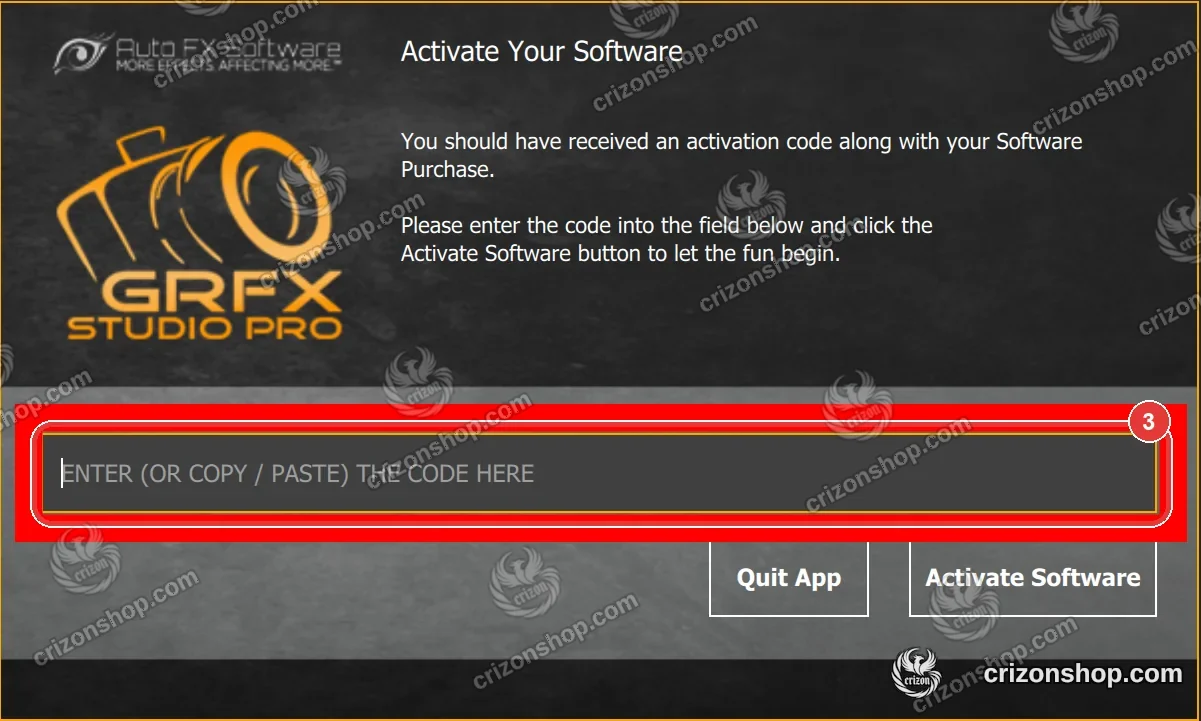
Paste your key into the “ENTER (OR COPY / PASTE) THE CODE HERE” box. Click Activate Software.
When you see the Activation successful! message, click OK.
Open GRFX Studio Corel from its desktop icon or the Start menu.
Enter your email address and click Continue.
Paste your key into the activation code box.
Click Activate Software.
When you see the Activation successful! message, click OK.
Open GRFX Studio in PaintShop Pro
Open any image in PaintShop Pro.
Go to the Effects menu.
Choose Plugins, then AutoFX Software.
Click GRFX Studio to open the plugin on the image you're editing. In the version included with PaintShop Pro 2020, this item is called GRFX Studio Corel Edition.
You can also open GRFX Studio as a standalone app from its desktop icon or the Start menu, the same way you did to activate it.
Frequently asked questions
If you bought directly from Corel, the serial number is in your order confirmation email. If it's not in your inbox, check your Spam or Promotions folder.
The plugin usually hasn't been installed or activated yet. For Corel Edition, open Autorun.exe in the PaintShop Pro 2020 setup folder, click Install GRFX Studio, and activate it again. Once you see Activation successful!, reopen PaintShop Pro so the menu updates.
That means you have GRFX Studio Corel Edition. Enter your email, click Continue, and then enter your key as usual. GRFX Studio Pro lets you choose Activate Software from the first screen.
Corel's guides are written for PaintShop Pro users, and Corel Edition only comes with PaintShop Pro 2020 Ultimate. To use GRFX Studio as a photo-editing plugin in the Effects menu, you need to install PaintShop Pro first.
Related guides
How to Activate Corel AfterShot Pro 3 with a Serial NumberHow to Activate Corel ParticleShop with a Serial NumberHow to Enter a Serial Number to Activate Corel Painter Essentials 8Still need help?
Send your order code and we can sort it out faster.
