IObit · Activate
How to Activate IObit Driver Booster PRO with a License Code
Install the free Driver Booster from IObit's website, click Enter Code in the bottom-right corner, paste your license code, and click Activate. Already on PRO and renewing? Go to Manage License and choose Refresh.
This guide shows you how to enter a license code to upgrade IObit Driver Booster from the free version to PRO. It also covers how to add a new code when you renew. The steps follow the registration instructions on IObit's support site and apply to the current version of Driver Booster.
What you need
Download and install Driver Booster
PRO uses the same installer as the free version. Install the regular version from IObit's website, then enter your code to unlock the PRO features.
Open the Driver Booster page on iobit.com and click the free download button.
Run the installer you downloaded and follow the on-screen instructions.
When the installation finishes, open Driver Booster.
Activate PRO for the first time
Use this method if your PC is currently running the free version of Driver Booster.
In the main Driver Booster window, click Enter Code in the bottom-right corner.
Paste your license code into the code box.
Click Activate.
When the confirmation message appears, click OK.
Renew or replace your code if you already have PRO
If PRO is already activated on your PC and you've just got a new code to renew, add it through the license manager. You don't need to uninstall and reinstall the program.
Open Driver Booster and click Manage License in the bottom-right corner.
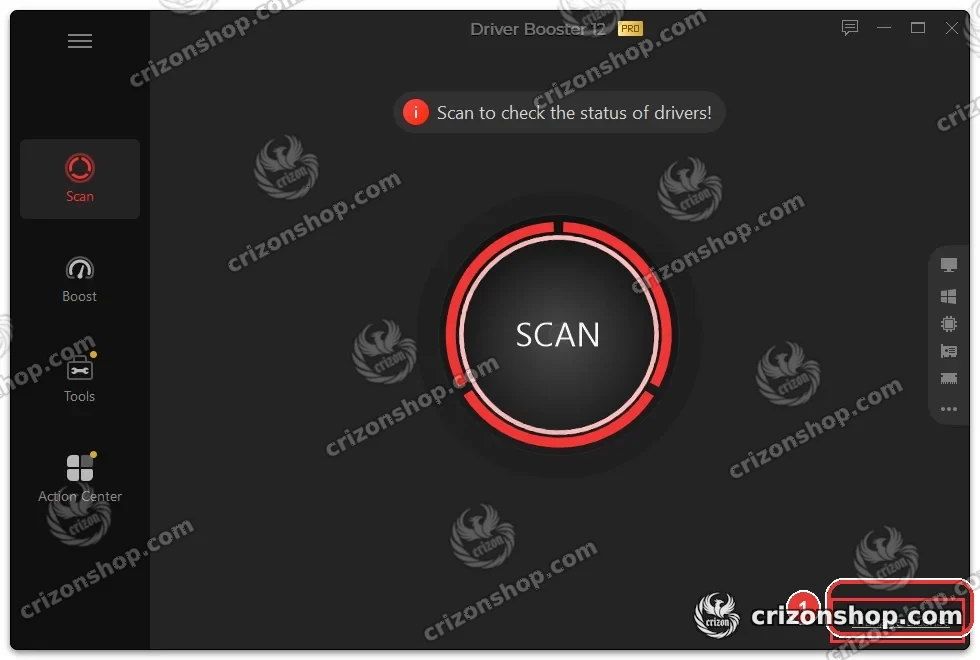
Click “Manage License” in the bottom-right corner. Click Refresh.
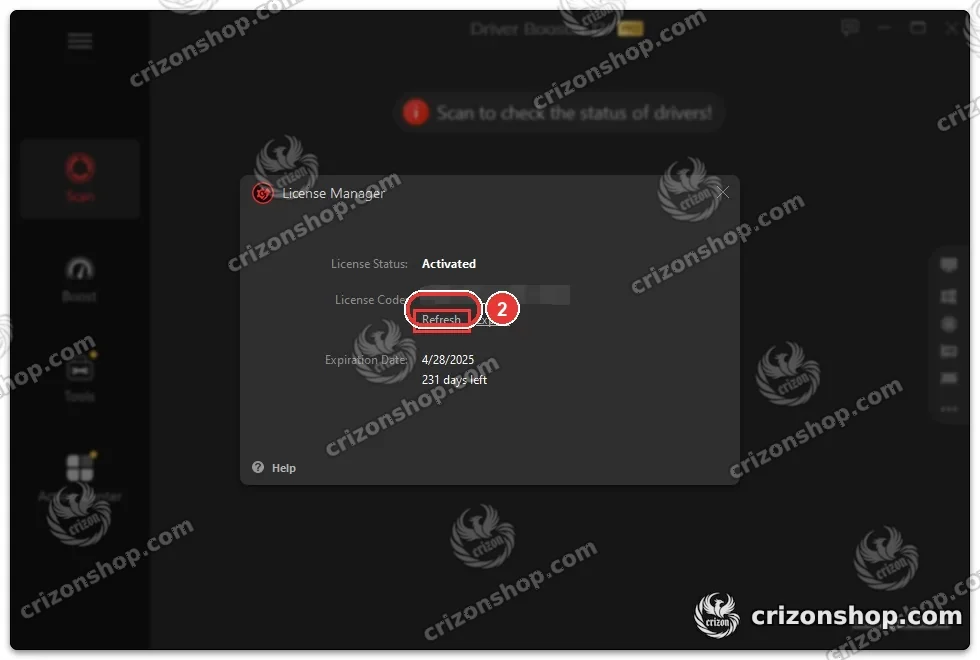
Click “Refresh” to update the license status. Paste the new code into the code box and click Activate.
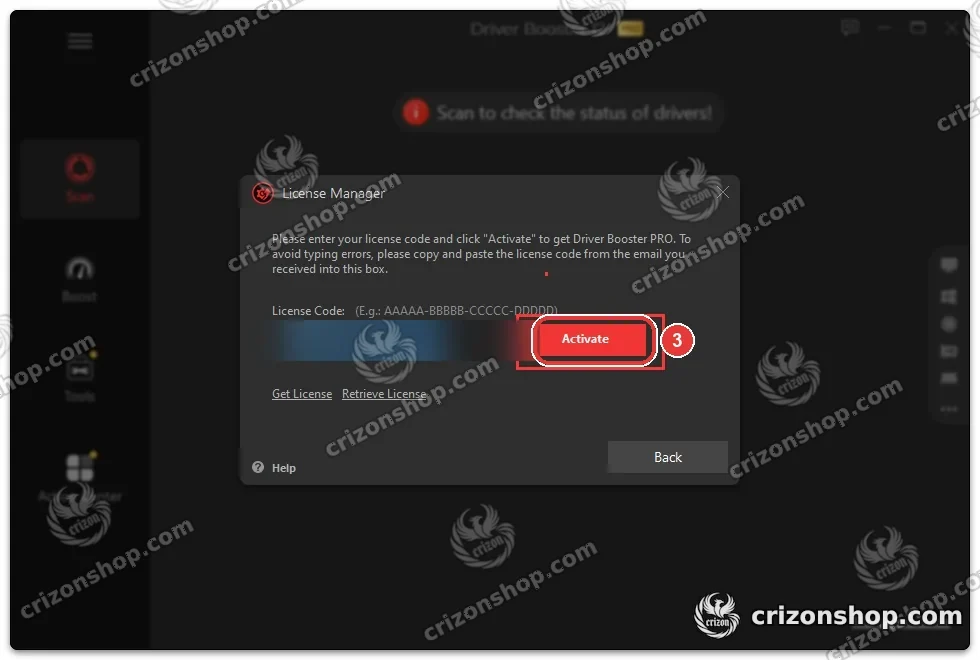
Paste the code into the box and click “Activate”. Click OK to finish.
If activation fails
First, make sure you pasted the full code and that it's actually a Driver Booster code. Codes for Advanced SystemCare or other IObit products won't work with Driver Booster. If the code is correct but you still get an error, IObit has forms you can submit yourself.
| Situation | What to do |
|---|---|
| You get a message that the code has been activated on the maximum number of PCs (activated for maximum PCs) | Submit a request on IObit's Reinstall page. Choose Driver Booster PRO, then enter your code and the email you used to buy it |
| You reinstalled Windows or replaced your hard drive, motherboard, or CPU, and can't activate again | Use the same Reinstall page above |
| You want to move PRO to another PC | Uninstall Driver Booster PRO from the old PC if you still can, then submit a request on IObit's Transfer page |
| You lost your code, or it shows as invalid | See IObit's lost code page |
Frequently asked questions
No. The free and PRO versions are the same program. Just click Enter Code and enter your code, and the version you're using upgrades to PRO.
Not necessarily. Reinstall Driver Booster from iobit.com, then enter your code again as described in the Activate PRO for the first time section. If the program says the code has been used on the maximum number of PCs, submit a request on IObit's Reinstall page with the email you used to buy it.
No. Go to Manage License, click Refresh, paste the new code, and click Activate. That's it.
This guide is based on the current version on IObit's website. On older versions, button names and locations may be slightly different. Install the latest version from iobit.com before you enter your code so the steps match your screen.
Related guides
How to Activate IObit Malware Fighter Pro with a License CodeHow to Activate IObit Software Updater Pro with a License CodeHow to Activate IObit Uninstaller PRO with a License CodeStill need help?
Send your order code and we can sort it out faster.
