 Headspace · Activate
How to Redeem a Headspace Premium Code on the Headspace Website
Open headspace.com/code in a browser, paste your code, click Redeem code, then log in to your Headspace account. You can't redeem a code on an account that has an active subscription or free trial.
This guide shows you how to activate a Headspace Premium code (a gift code, voucher, or promo code) on your own Headspace account. You enter the code in a web browser. Then you log in to the app with the same account to use Premium.
What you need
- A valid Headspace code. Copy the code so you can paste it in. This helps you avoid mixing up the letter O and the number 0, or adding extra spaces.
- The Headspace account you want to upgrade. If you don't have one yet, you can create one while you redeem the code.
- A web browser on a computer or phone, such as Chrome or Safari.
Redeem your code on headspace.com
Open your browser and go to headspace.com/code.
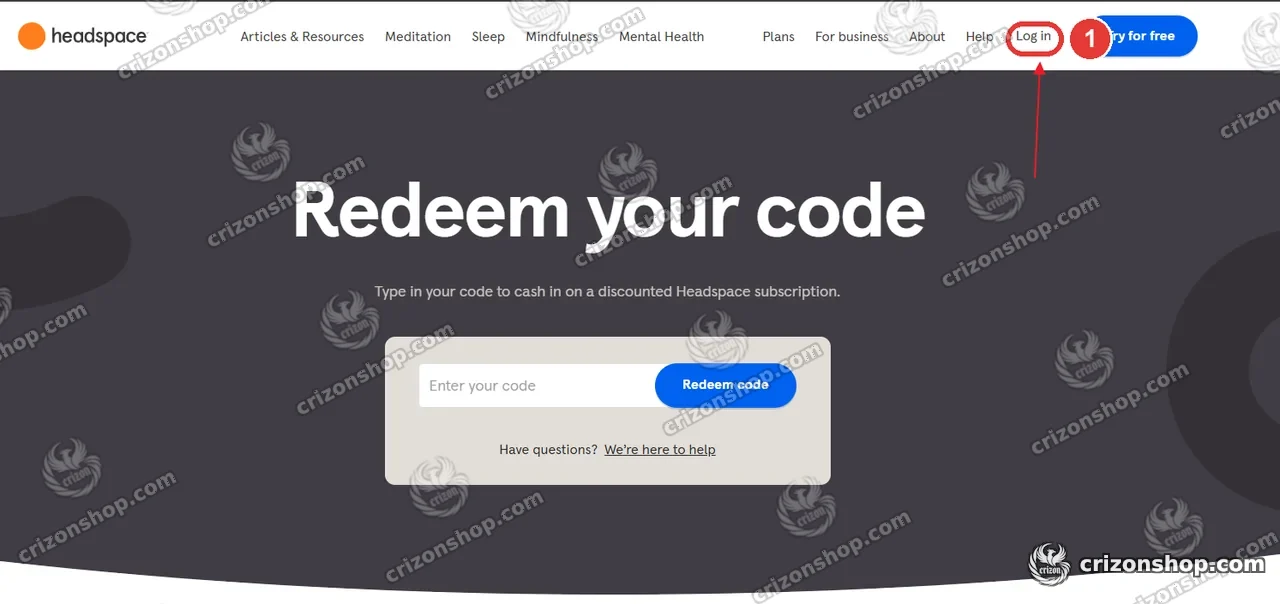
Click “Log in”. Paste your code into the Enter your code field.
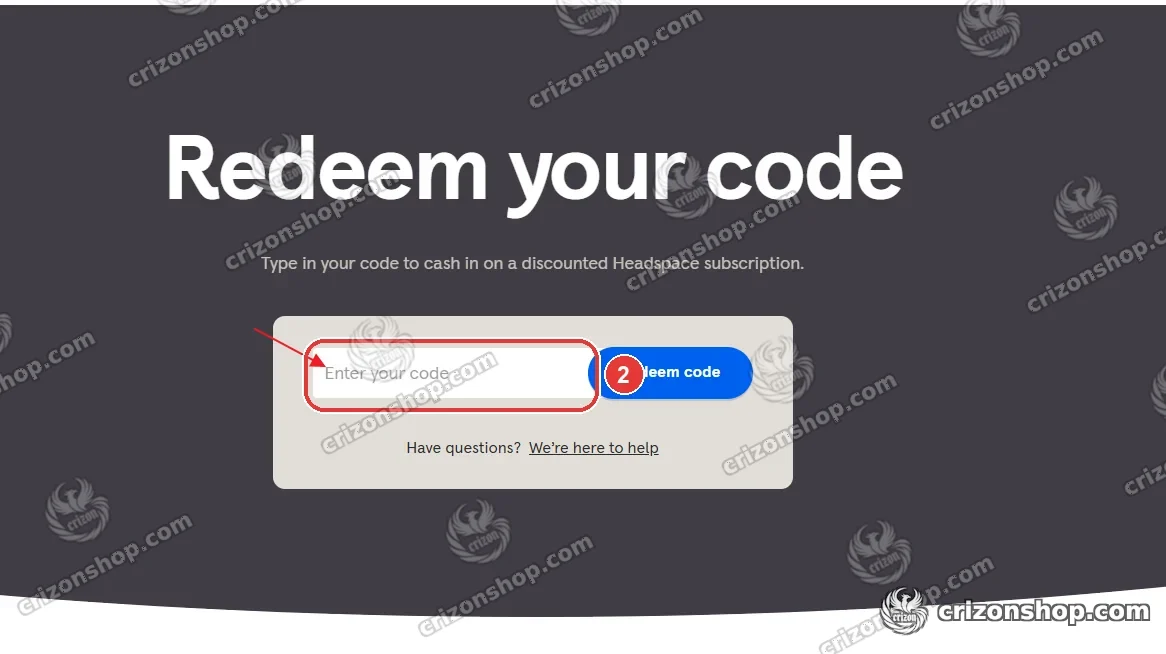
Paste your code into the “Enter your code” field. Click Redeem code.
Log in to the Headspace account you want to upgrade. If you don't have an account, create a new one.
Follow the checkout steps on screen until the page confirms that your plan is active.
Use Premium in the app
You only need to enter the code once on the web. After that, open the app on your phone and log in with the same account to see Premium content.
Install the Headspace app from the App Store or Google Play.
Open the app and log in with the account you used to redeem the code.
If the app is already logged in to a different account, log out, then log back in with the account you redeemed the code on.
If your account has an active subscription or free trial
Cancel your current subscription where you signed up for it. Wait for it to expire, then go back to headspace.com/code to enter your code. Follow the steps for the place where you bought your subscription.
Log in to headspace.com in a web browser, not the app.
Open the subscription management page.
Click Cancel Membership and confirm.
Open Settings and tap your name at the top.
Tap Subscriptions.
Select Headspace, then tap Cancel Subscription.
Open Google Play and tap your profile picture in the top corner.
Go to Payments & subscriptions, then select Subscriptions.
Select Headspace, tap Cancel subscription, and confirm.
FAQ
The most common reason is that the account still has an active Headspace subscription, including a free trial. Check your subscription status. Cancel the subscription, wait for it to expire, then enter the code again. If your account has no subscription and the code still fails, see Headspace's help article about voucher codes or email [email protected] so Headspace can look into it.
Headspace's instructions say to enter codes at headspace.com/code in a web browser. Once the code is activated, log in to the app with the same account and Premium is applied automatically.
No. A free trial counts as an active subscription, so the code will be rejected. Cancel the trial where you signed up, wait for the trial period to end, then enter the code.
This usually means the app is logged in to a different account from the one you used on the web. For example, you might use email on one and Google or Apple on the other. Log out of the app, then log back in with the account you redeemed the code on. If that doesn't fix it, contact [email protected].
Related guides
 How to Join a Google Family Group by InvitationHow to Install and Activate an eSIM on iPhone and Android
 How to Redeem a US iTunes Code on iPhone, iPad, Mac, and Windows
Still need help?
Send your order code and we can sort it out faster.
