 Pacdora · Sign in
How to Log In to Pacdora with Your Email or Google Account
To log in to Pacdora, go to pacdora.com, click Log in, then enter your email and password. If you created your account with Google, choose the Google sign-in option instead.
Pacdora is an online platform for creating packaging mockups, dielines (box templates) and packaging design templates right in your browser. This guide shows you how to log in to Pacdora with your email and password or with your Google account. It also shows you how to check which plan you're on.
Before you log in
Log in with your email and password
Open your browser and go to www.pacdora.com.
Click Log in in the top menu bar.
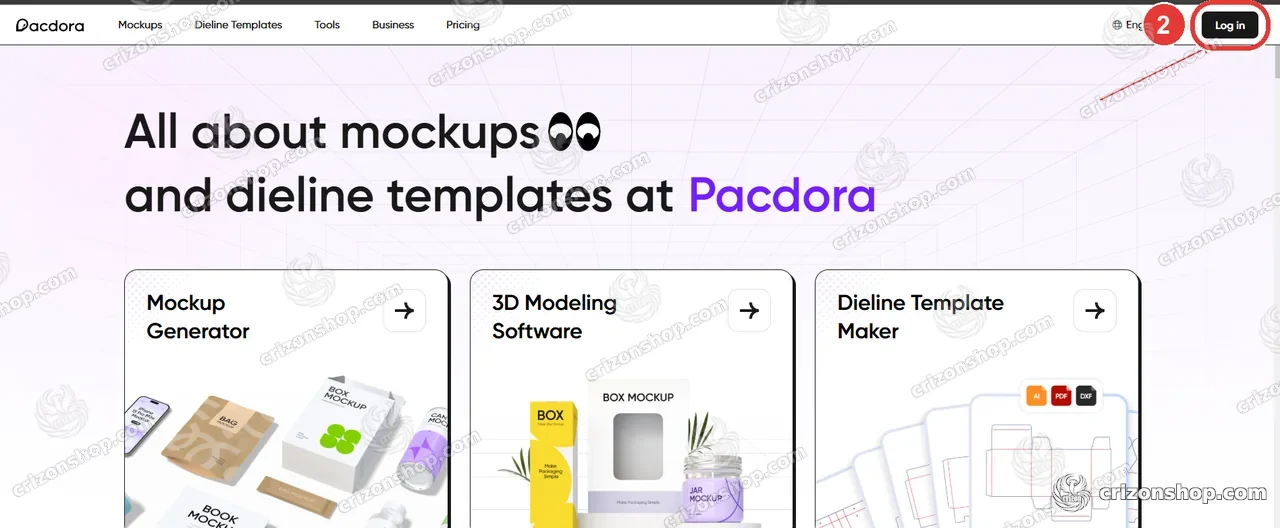
Click “Log in” in the top menu bar. Enter the email you signed up with in the Your Email field.
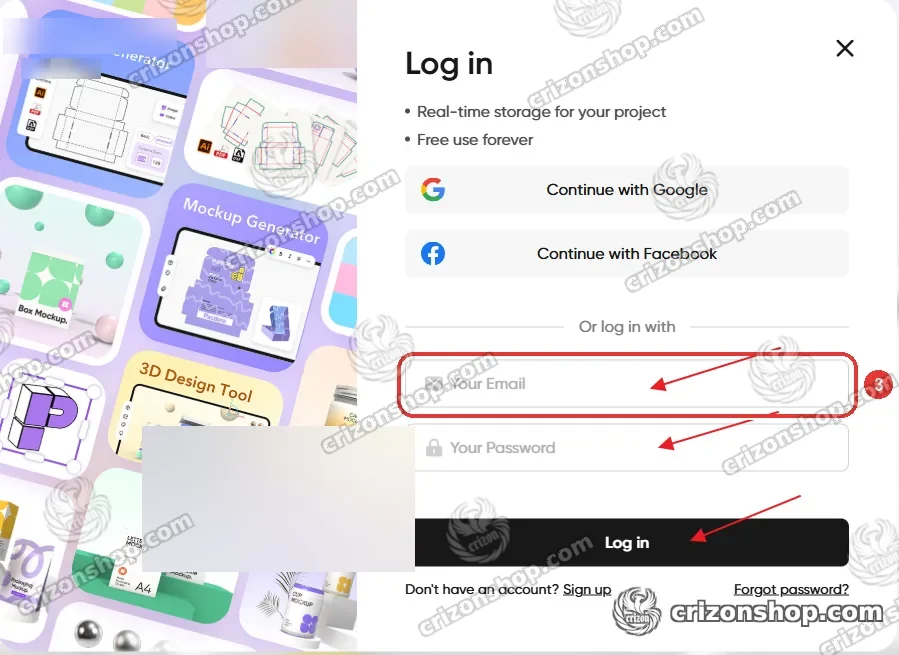
Enter the email you signed up with in the “Your Email” field. Enter your password in the password field.
Click Log in to open your account.
Log in with your Google account
Go to www.pacdora.com and click Log in.
In the login box, choose the option to sign in with Google.
In the Google window, choose the Google account you used to create your Pacdora account.
Complete Google's sign-in steps. For example, enter your Google password or complete 2-Step Verification if Google asks.
Wait for the page to take you back to Pacdora, where you'll be logged in.
Check your current plan after logging in
After you log in, check your current plan right away. This confirms that you're in the account that has the paid plan.
Open Workbench, your workspace in Pacdora.
Select Account.
Open Subscription to see your plan name and when it expires.
Use the Manage subscription button in this section to manage your plan or cancel renewal.
Can't log in? Check these things
- Make sure your email has no typos and no extra spaces at the beginning or end.
- Try the other login method. You may have created your account with Google instead of email, or the other way around.
- If the Google window doesn't appear when you choose Google sign-in, allow pop-ups for pacdora.com or turn off your ad blocker for now.
- Open a private (incognito) window and log in again. This rules out problems caused by old cookies or cached data.
- Try a different browser, such as Chrome, Edge or Firefox.
FAQ
In the login box, find the forgot password link and enter the email you signed up with. Pacdora will email you instructions to reset your password. If you don't see the email, check your Spam or Promotions folder too. If you created your account with Google, you don't need a Pacdora password. You only need to be able to sign in to that Google account.
You're usually logged in to a different account from the one with the plan. For example, you signed in with Google using one email, but the plan was bought with another email. Log out, log back in with the right email, then check Workbench › Account › Subscription again.
According to Pacdora's pricing page, the Free and Lite plans allow only 1 member per workspace. The Pro and Business plans let you add members. If you need to work as a team, choose a plan that lets you add members. Don't share one password with several people.
Related guides
 How to Activate a GRFX Studio Key for Corel PaintShop Pro
 How to Activate Adobe Acrobat Classic with a Serial Number
 How to Accept Your Canva Pro Invitation and Check Your Upgrade
Still need help?
Send your order code and we can sort it out faster.
