 Epidemic Sound · Sign in
How to Log In to Your Epidemic Sound Account
Go to epidemicsound.com, click Log in, and choose the same method you used to create your account: email, Google, Apple, or SSO. If you forgot your password, use the Forgot password? link on the login page.
This guide shows you how to log in to your own Epidemic Sound account. It also helps you pick the right sign-in method so you can see your plan, and explains how to get back in if you forget your password.
Find out how you created your account
The Epidemic Sound login page has several sign-in options. Use the same method you chose when you created your account or bought your plan, because each method is tied to its own login identity.
| You created your account with | What to choose on the login page |
|---|---|
| Email and password | The Email field, the Password field, then the Log in button |
| A Google account | Continue with Google |
| An Apple ID | Continue with Apple |
| A company account that uses single sign-on | Log in with SSO |
| A plan received through a partner network (MCN) | The Partners / MCN section at the bottom of the page |
Log in on the web
Open epidemicsound.com in a browser on your computer.
Click Log in to open the login page. If you don't see this button, go straight to the Epidemic Sound login page.
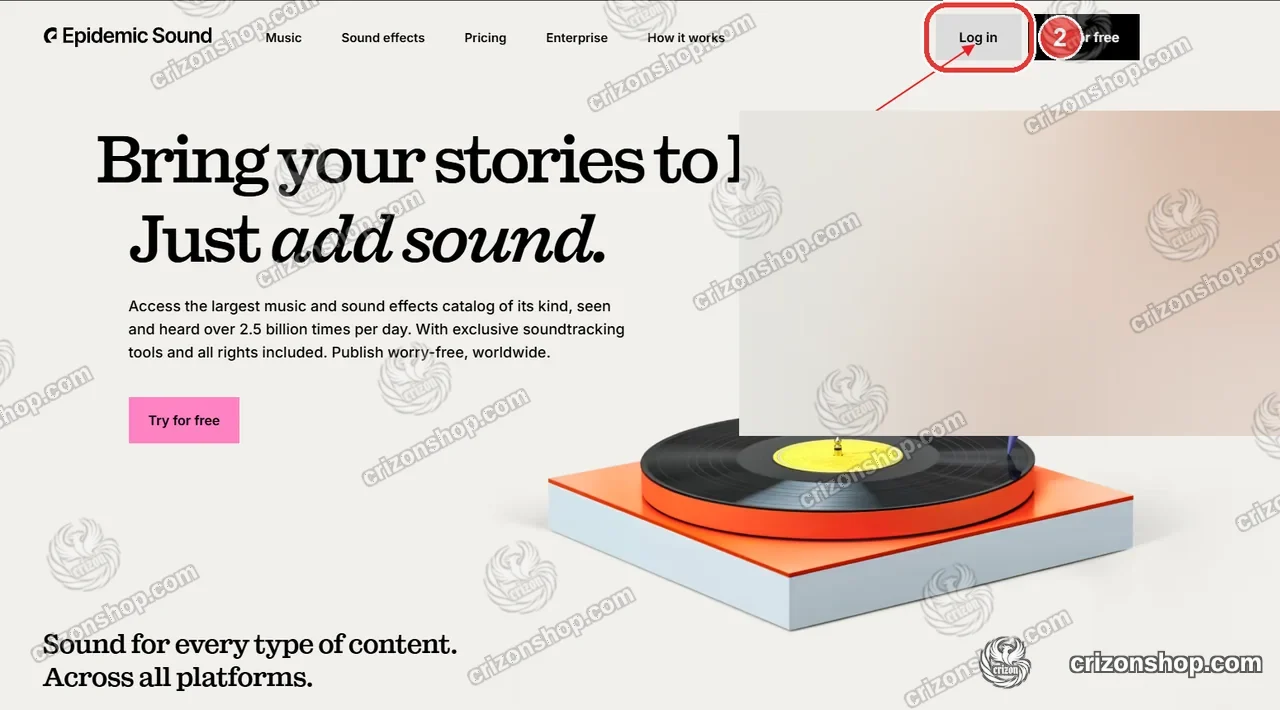
Click “Log in” to open the login page. Choose the sign-in method that matches the table above.
If you use email, type your email address in the Email field and your password in the Password field.
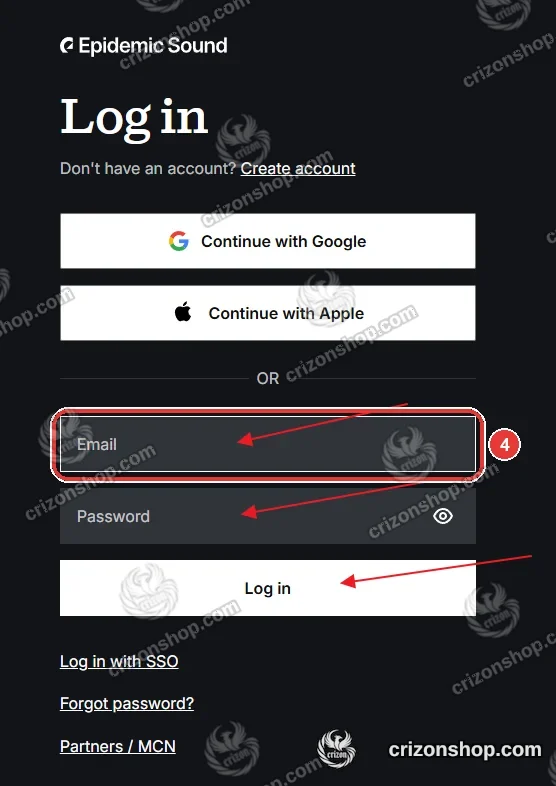
Enter your email address in the “Email” field and your password in the “Password” field. Click Log in to open your account.
If you use Google or Apple, pick the right Google account or Apple ID in the window that opens, then confirm.
Log in on the mobile app
In the Epidemic Sound app, log in with the same email, Google account, or Apple ID that you use on the web. Once you're in, tap Me in the top-right corner, then choose Account to open the Profile page and check your account details.
Reset a forgotten password
Open the Epidemic Sound login page in your browser or in the app.
Select Forgot password? on the login page.
Enter the email address you used to sign up.
Open that inbox and look for an email from Epidemic Sound.
Follow the instructions in the email to set a new password.
Go back to the login page and log in with your email and your new password.
Frequently asked questions
Search your inbox for a welcome email or an invoice from Epidemic Sound to find the email you signed up with. If it's a Gmail address or your Apple ID email, try Continue with Google or Continue with Apple first. If that doesn't work, use Forgot password? with that same email.
Check your Spam, Promotions, or Junk folder. Wait a few minutes, then send the request again. Make sure the email you entered is the one you signed up with. If even one character is wrong, the email won't reach your inbox.
Not yet. According to Epidemic Sound's help pages, you can only buy and manage subscriptions by logging in to the website on a computer.
Use the Partners / MCN section at the bottom of the login page instead of the regular email field. If your account isn't linked to the partner network yet, follow the instructions your partner gave you.
Related guides
 How to Activate a GRFX Studio Key for Corel PaintShop Pro
 How to Activate Adobe Acrobat Classic with a Serial Number
 How to Accept Your Canva Pro Invitation and Check Your Upgrade
Still need help?
Send your order code and we can sort it out faster.
