 Duolingo · Sign in
How to Log In to Duolingo and Check Your Super Plan After Upgrading
Log in to Duolingo on the web or in the app with the exact email or username you entered when ordering. Then open Settings to check whether Super Duolingo is active.
CrizonShop upgrades Super Duolingo directly on your own Duolingo account, so you won't get a separate account. This guide shows you how to log in to that account on a computer or phone. It also covers how to check whether Super is active and how to reset your password if you forget it.
Before you log in
You'll need the exact email or username and the password you entered when ordering. Super is only turned on for that account. If you have more than one Duolingo account, make sure you're using the one you gave us at checkout.
Log in to Duolingo
Open duolingo.com in your browser.
Click I ALREADY HAVE AN ACCOUNT.
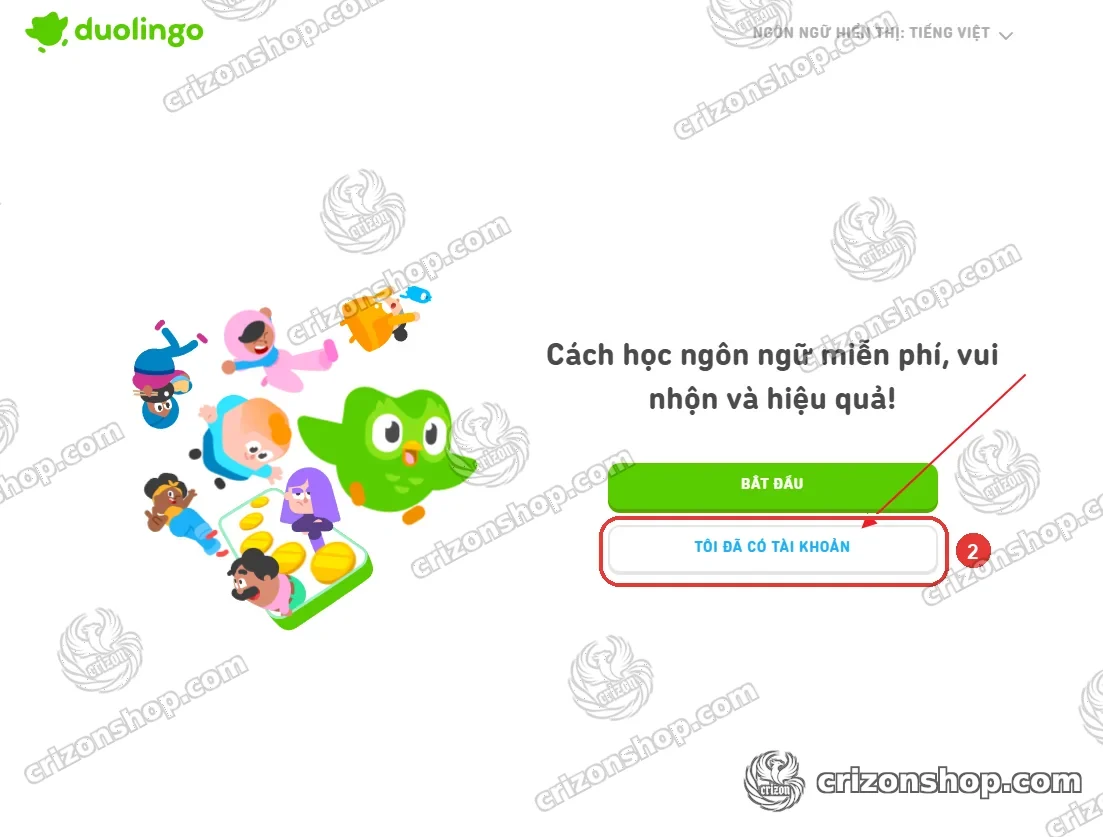
Click I ALREADY HAVE AN ACCOUNT. Enter your email or username in the first field.
Enter your password in the field below it.
Click LOG IN.
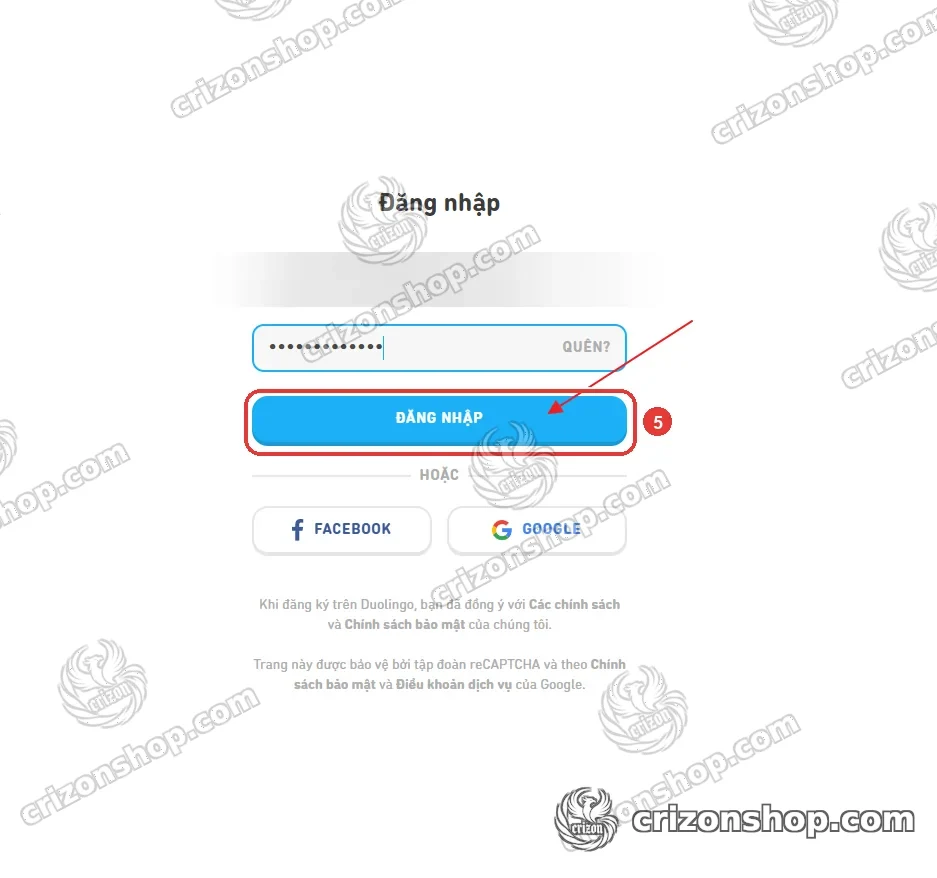
Click LOG IN to sign in.
Find and install the Duolingo app from the App Store (iPhone, iPad) or Google Play (Android).
Open the app and tap I ALREADY HAVE AN ACCOUNT.
Enter your email or username and your password.
Tap LOG IN.
Check that Super is active
Open the Duolingo app and stay on the home screen.
Tap the Super icon at the top of the screen.
Tap the Settings gear icon.
Tap Manage subscription to see your current plan.
Log in to Duolingo in your browser.
Open Settings from your profile picture or from the More menu in the left sidebar.
Select Super Duolingo to see your plan details.
You can also tell Super is on from its familiar perks. You get unlimited hearts, no ads between lessons, and extra Streak Freezes to protect your streak. You can find the full list of benefits on Duolingo's Super Duolingo page.
Forgot your password or never set one
If you created your account with Google or Facebook, you can still set a password for it. Just follow the reset steps below.
In the app, tap Forgot password on the login screen. On a computer, open Duolingo's password reset page.
Enter the email linked to your Duolingo account. If you signed up with Google or Facebook, enter the email for that Google or Facebook account.
Open the email from Duolingo and click the link in it to create a new password.
If the email isn't in your inbox, check your Spam folder.
Order delivered but no Super yet
Before you report a problem, go through these checks.
If you've checked everything and still don't see Super, click Report a problem on the product in your order. You can also message Chat with Support in the corner of the screen. We'll look into it for you.
Frequently asked questions
No. Super is added to the account you already use, so your courses, XP, and streak stay just as they are.
Super is linked to your account, not to a device. Duolingo's help pages don't mention a device limit for individual plans. Any device signed in to your upgraded account will have Super.
Follow the Forgot your password or never set one section above and enter your Google email. Duolingo will send you a link to create a password for your account.
Video Call and Roleplay are Duolingo Max features. Your plan is Super, so it doesn't include these two features. All of your other Super benefits still work as usual.
Related guides
 How to Sign In to DataCamp and What to Do When You Can't Get In
 How to Log In to Your JetBrains Account on the Web and in the IDE
 How to Log In to Bookmate with Email or Google
Still need help?
Send your order code and we can sort it out faster.
