 VIETMAP · Activate
How to Enter a VIETMAP Live Activation Code on Your Phone
Sign in to the VIETMAP LIVE app with your phone number, swipe up to open the menu, go to Account > My subscriptions, enter your code and tap Activate now to unlock Pro or OMNI.
This guide shows you how to enter a VIETMAP Live activation code in the app on an iPhone or Android phone to unlock the Pro plan or the OMNI upgrade. You only need a VIETMAP account registered with your phone number and your activation code.
Before you enter the code
Install the app and sign in
Open the App Store or Google Play, search for VIETMAP LIVE, and install it. On the App Store, the app's full name is currently VIETMAP LIVE - MiMi AI. If the app is already on your phone, update it to the latest version.
Open the VIETMAP LIVE app.
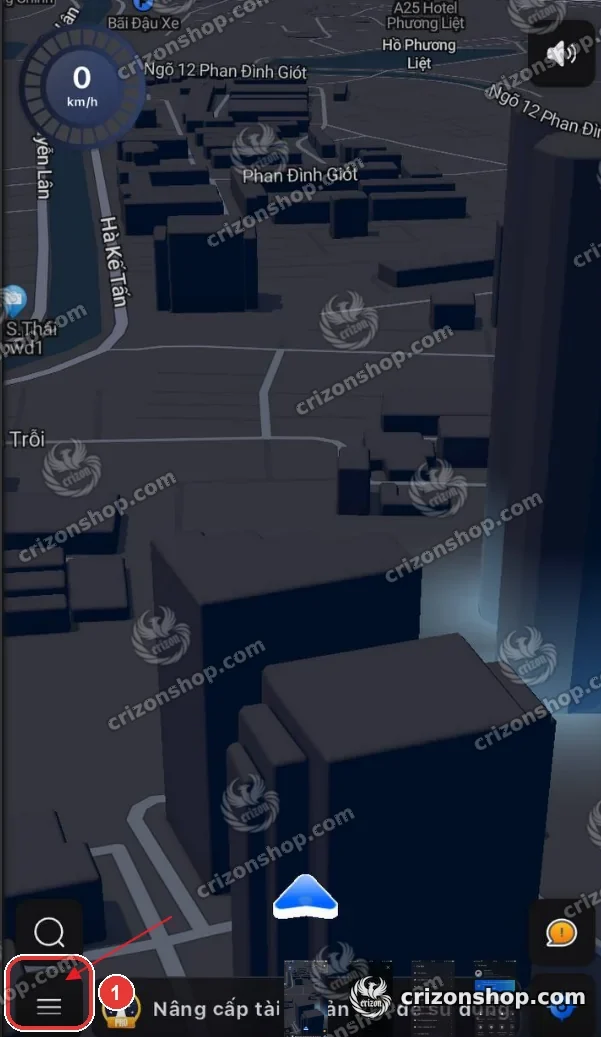
Tap “☰” to open VIETMAP LIVE. If you already have an account, sign in with your phone number and skip to the next section.
If you don't have an account yet, tap Sign up.
Enter your phone number, then enter the OTP code sent to your phone.
Read and accept VIETMAP's policies to finish signing up.
Open My subscriptions
On the main screen, swipe up from the bottom to show the menu.
Tap Account.
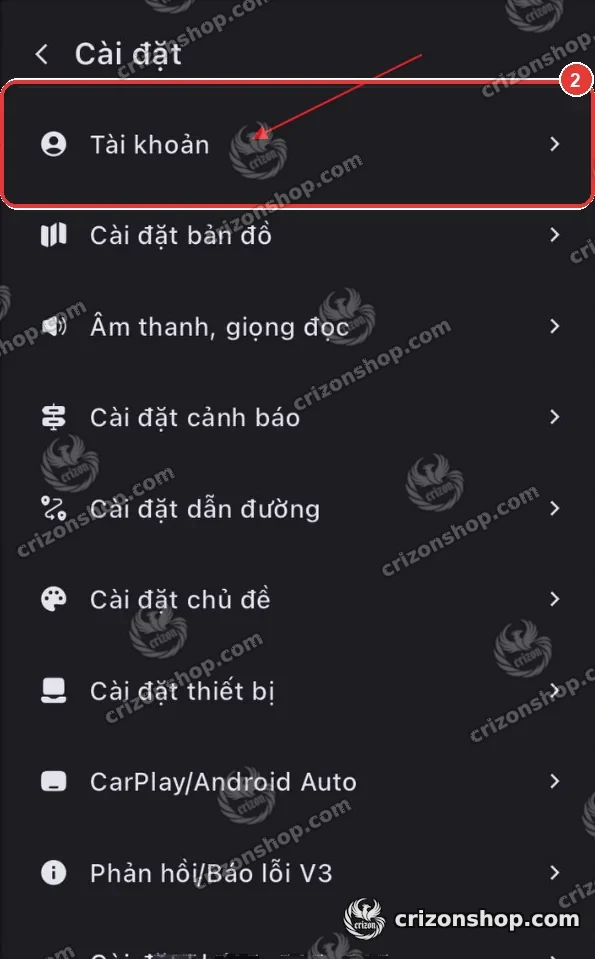
Tap “Account”. Tap My subscriptions.
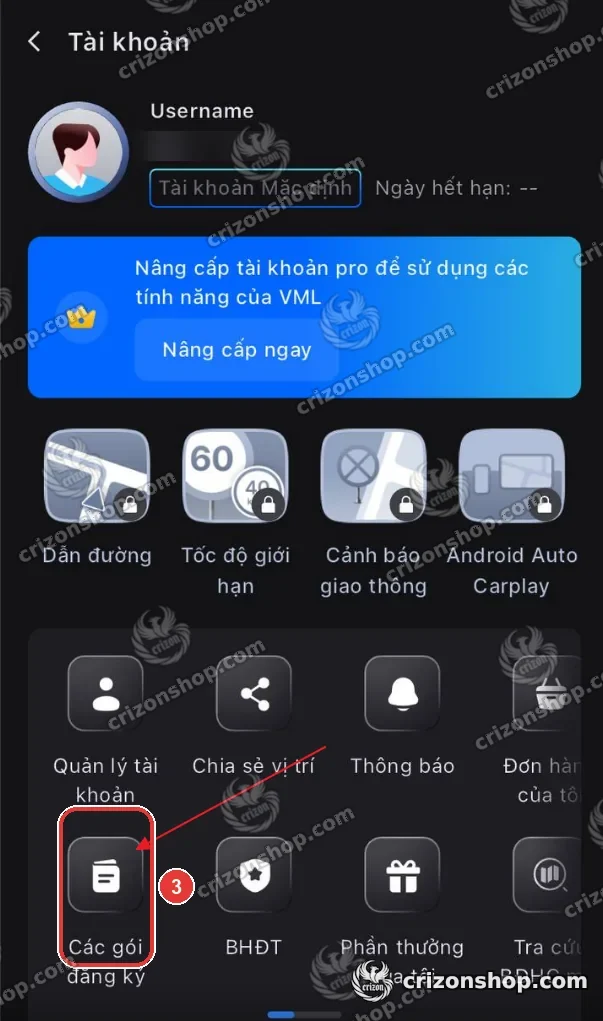
Tap “My subscriptions”.
Enter the code and activate your plan
Type your activation code into the code field.
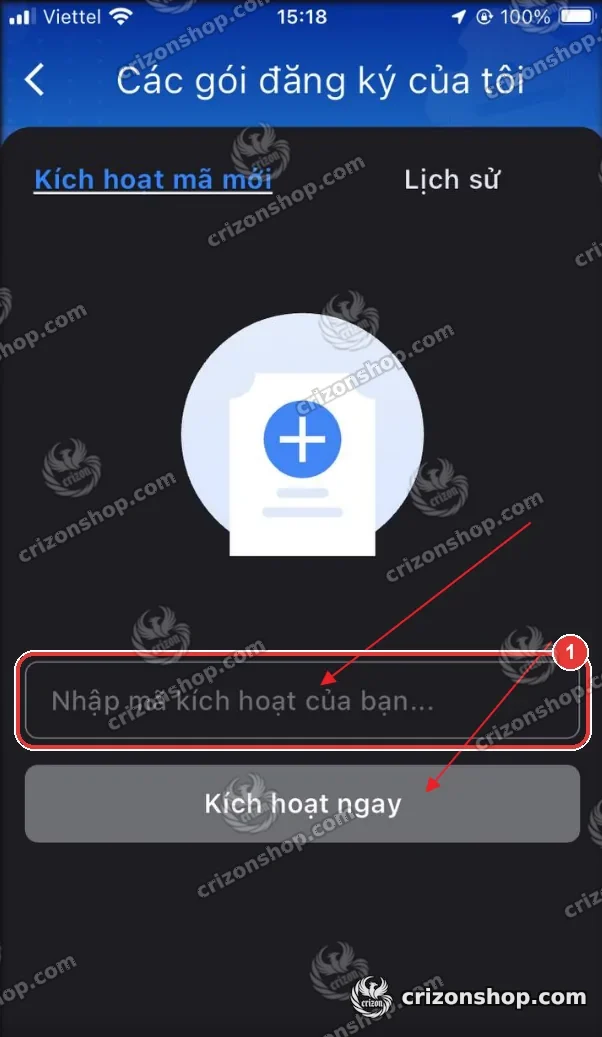
Enter the code in the “Enter your activation code...” field. Check every character before you submit.
Tap Activate now.
Wait for the success message, then check the plan name and new expiry date in My subscriptions.
Notes on activating an OMNI code
OMNI is a feature upgrade for the Pro or Plus plan. According to VIETMAP's How to buy and activate page, you can buy OMNI together with a new Pro plan, add it to a Pro or Plus plan you already have, or buy a code from a dealer.
- Update the app to version 3.4.1 or later before you enter an OMNI code.
- Your account should already have a Pro or Plus plan so the OMNI upgrade can be applied.
- OMNI lasts for the full term you bought, starting from the activation date. It doesn't depend on when your Pro plan expires.
Frequently asked questions
Check each character of the code again, especially pairs that are easy to confuse, like the letter O and the number 0 or the letter I and the number 1. If you pasted the code, delete any extra spaces. Also make sure you're signed in to the right account. If the error is still there, take a screenshot of the message and send it to the seller you bought the code from so they can check its status.
First, go to Account › My subscriptions and check whether the plan and its expiry date are listed. If the plan is listed but the features still aren't unlocked, close the app completely and reopen it. Also check that the app is on the latest version.
The plan is linked to the VIETMAP account you used when you entered the code. On your new phone, install VIETMAP LIVE, sign in with the same phone number, and open My subscriptions to check that the plan is still there.
No. According to VIETMAP, OMNI lasts for the full term you bought from the activation date, even if your Pro plan expires first. You can find the details on VIETMAP's buying and activation guide.
Related guides
How to Activate IObit Driver Booster PRO with a License Code How to Leave a Microsoft 365 Family Group
 How to Enter a Product Key to Activate Windows 10 and Windows 11
Still need help?
Send your order code and we can sort it out faster.
