 LastPass · Activate
How to Activate LastPass Premium with an Upgrade Link
Open the LastPass invitation email and click Join your family. Log in with the right account and click Join, or create a master password if you don't have an account yet. Then check your plan type in Account Settings.
This guide shows you how to use the LastPass upgrade link sent to your email to move your own account to a paid plan. It also shows you how to check that the plan has been applied.
What is a LastPass upgrade link?
Most upgrade links like this are invitations to join a LastPass Families plan. The plan's manager (the Family Manager) sends them to your email. Once you join, you keep using your own vault with all the Premium features. The only difference is that your account page shows the plan type as Families.
Before you click the link
Join the plan if you already have a LastPass account
Open the invitation email from LastPass.
Click Join your family.
On the login screen, enter your email and master password.
Click Log In.
Make sure you've logged in with the email you want to upgrade.
Click Join to confirm.
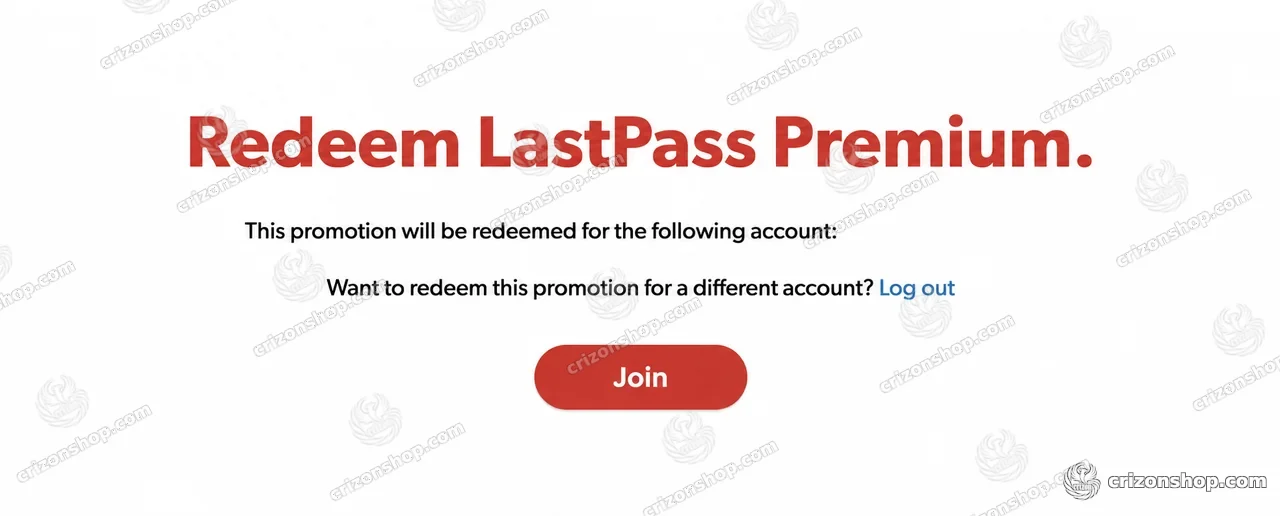
Click Confirm (Join) to accept the invitation.
After this step, your existing LastPass account moves to the Families plan. Your saved passwords stay in your vault because you're still using the same account.
Join the plan if you don't have a LastPass account yet
Open the invitation email from LastPass.
Click Join your family.
On the activation screen, create a new master password.
Enter the same master password again in the confirmation field.
Click Activate Account.
Your new account is created with the email that received the invitation and goes straight into the Families plan. You can then install the LastPass browser extension or mobile app. Log in with your email and the master password you just created.
Check that your account has been upgraded
Log in to your vault at lastpass.com.
Click Account Settings in the left menu, or open the account menu in the top-right corner.
Look at the Account Information section. Your account type shows Premium or Families, along with the plan's expiration date.
Open the LastPass app and log in.
Tap Settings in the bottom toolbar.
Tap Your LastPass Account, then check the Type of Account line.
For LastPass's official instructions, see How do I join a LastPass Families account? and What type of LastPass personal subscription do I have?.
Frequently asked questions
Yes. When you join through an invitation, LastPass puts your account on the Families plan. Each member of the plan has their own vault with Premium features, so you can use it just like a regular Premium account.
Yes. According to LastPass, your current plan automatically moves to Families when you accept the invitation. If you had Premium auto-renewal turned on, check your renewal settings in Account Settings after you join.
Log out of LastPass in your browser, open the link again in a private (incognito) window, and repeat the steps. If it still doesn't work, the invitation may have been canceled or may no longer be valid. In that case, the plan manager needs to send a new invitation to your email.
Related guides
 How to Activate Avast BreachGuard with a Sign-in Key
 How to Activate AVG AntiTrack Premium with an Activation CodeHow to Activate a Gilisoft Audio Recorder Pro Key on Windows
Still need help?
Send your order code and we can sort it out faster.
