 Penci · Activate
How to Activate a Penci Premium Key on penci.vn
Sign in at penci.vn, click your profile picture in the top-right corner, and choose Enter activation key. Paste your code into the Key code box, click Activate, then reload the page to upgrade your account to Premium.
Penci is a Vietnamese online design tool with a large template library and AI design features. This guide shows you how to enter a key to upgrade your own Penci account to Premium. You do everything in your browser, and it only takes a few minutes.
Before you enter your key
Steps to enter your activation key
Open a browser on your computer and go to penci.vn.
Click Sign in and sign in to the Penci account you want to upgrade.
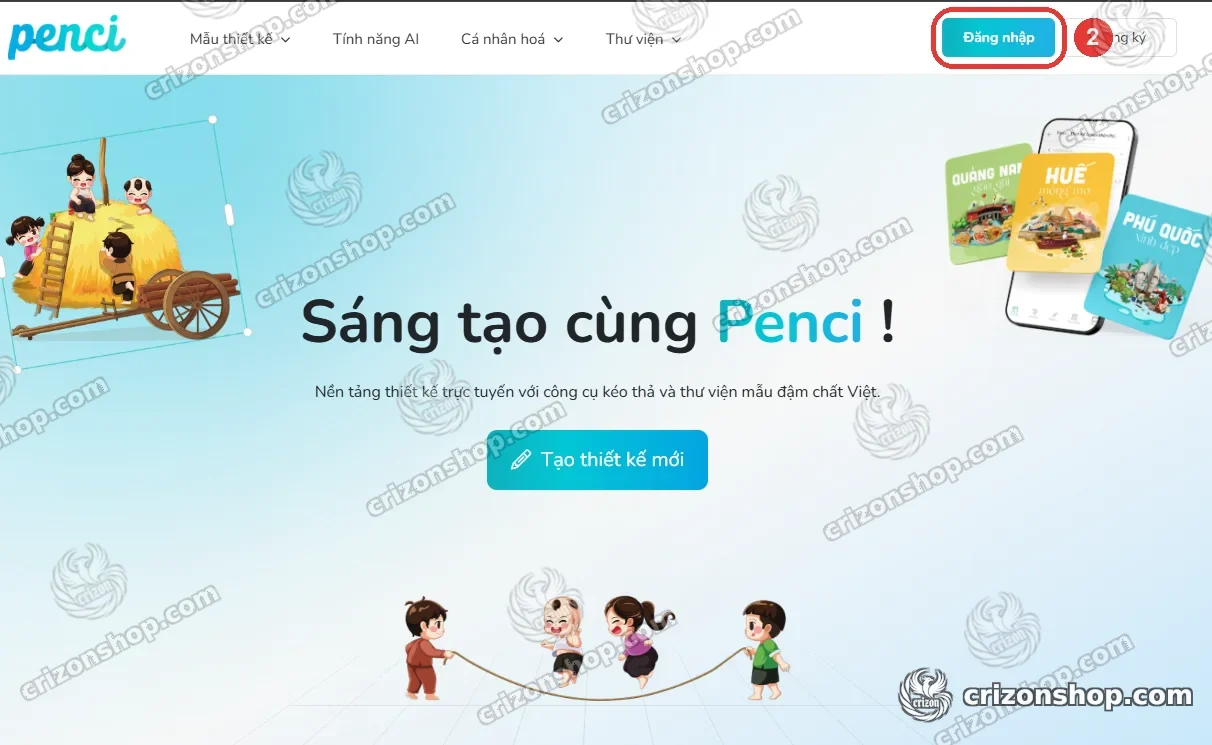
Click “Sign in”, then sign in to the Penci account you want to upgrade. Click your profile picture (avatar) in the top-right corner of the screen.
In the menu that opens, choose Enter activation key.
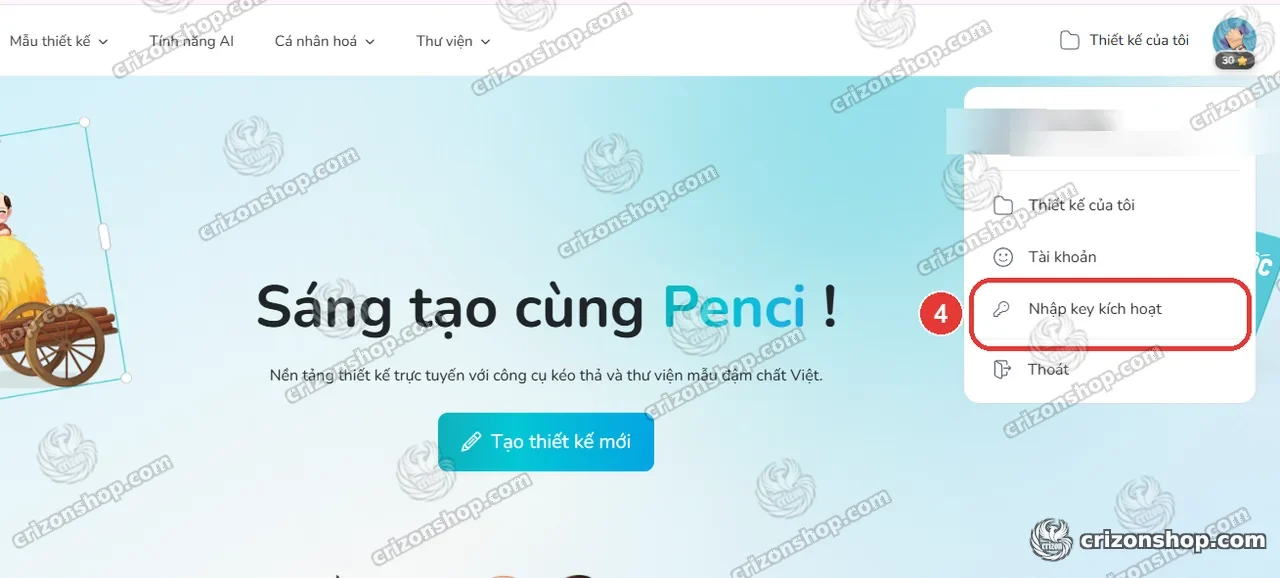
Click “Enter activation key”. Paste your key into the Key code box.
Click Activate to finish.
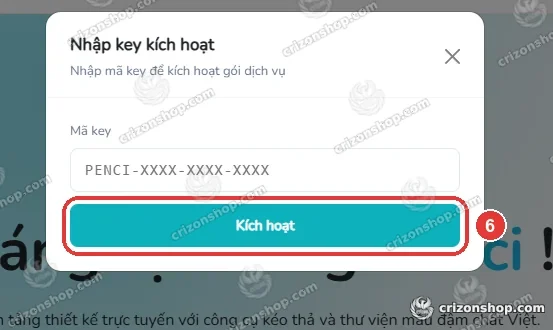
Click “Activate” to finish. Reload the page with F5 (Cmd + R on a Mac) so your account shows its new status.
Check your account after activation
After you reload the page, your account will switch to Premium. According to Penci's pricing page, this plan unlocks all design templates and the graphics library. It also removes ads, allows unlimited PDF downloads, increases storage to 10GB, and gives you 1,000 AI points each month.
If your status still hasn't changed after you reload, sign out and sign back in to the account you just activated.
If your key isn't accepted
Most key errors are caused by one of the situations below.
| What you see | Common cause | What to do |
|---|---|---|
| The key is rejected as soon as you click Activate | Missing or extra characters, or stray spaces | Copy the key again and paste it back into the Key code box |
| The key shows as already used | The key was activated on another account earlier | Check any other Penci accounts you've signed in to |
| You can't enter a new key | The account still has Premium time left | Wait for the current plan to expire, then enter the key again |
| Activation worked, but Premium isn't showing | The page hasn't updated your status yet | Reload the page, or sign out and sign back in |
If you bought your key from CrizonShop and none of the steps above worked, go to Account → My orders on crizonshop.com. Click Report a problem on the product in your order and attach a screenshot of the error message. You can also message us through Chat with Support in the corner of the screen.
If you can't sign in to your Penci account, contact Penci directly at [email protected]. You'll find this address at the bottom of penci.vn.
FAQ
No. Penci doesn't accept a new key while your account still has Premium time left. Wait until your current plan expires, then enter the next key.
No. Each key activates only once, for one account. If you want to upgrade several accounts, you need a separate key for each.
No. According to Penci's pricing page, AI points reset every month and don't roll over, so use them before the month ends.
Related guides
 How to Activate a GRFX Studio Key for Corel PaintShop Pro
 How to Activate Adobe Acrobat Classic with a Serial Number
 How to Accept Your Canva Pro Invitation and Check Your Upgrade
Still need help?
Send your order code and we can sort it out faster.
