 Nintendo · Activate
How to Redeem a Nintendo eShop Card on the Web and Nintendo Switch
Go to ec.nintendo.com/redeem, sign in to your Nintendo Account, enter the 16-character code, then click Next and Redeem. On Switch, open Nintendo eShop and select Enter Code. The card must match your account's region.
A Nintendo eShop Prepaid Card has a 16-character code that adds funds to the Nintendo eShop balance on your Nintendo Account. This guide shows you how to enter the code on Nintendo's website or directly on your Nintendo Switch. It also covers how to fix common errors.
Before you redeem
Redeem the code to your account
Open ec.nintendo.com/redeem in a browser on your computer or phone.
Click Sign in, enter your Nintendo Account email and password, then click Sign in again.
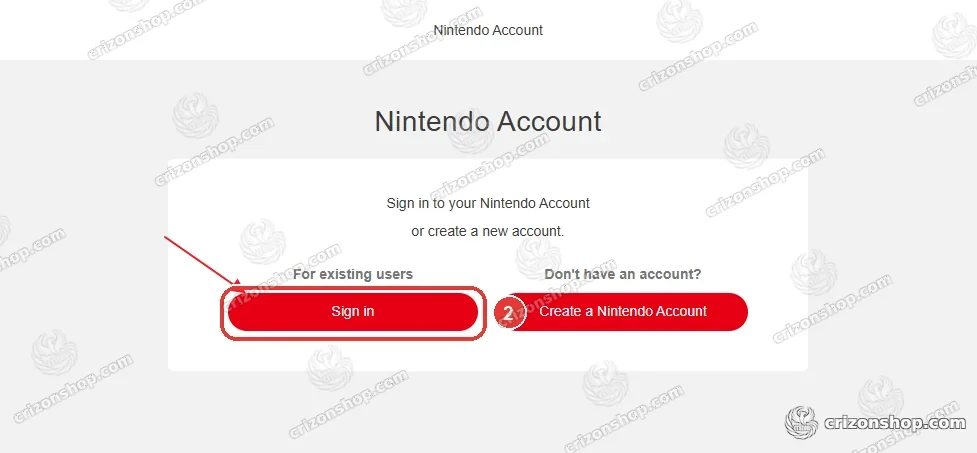
Click “Sign in” to sign in to your Nintendo Account. If your browser is already signed in, check the account name in the top-right corner to make sure it's the account you want to add funds to.
Type the 16-character code from the card into the code field.
Click Next.
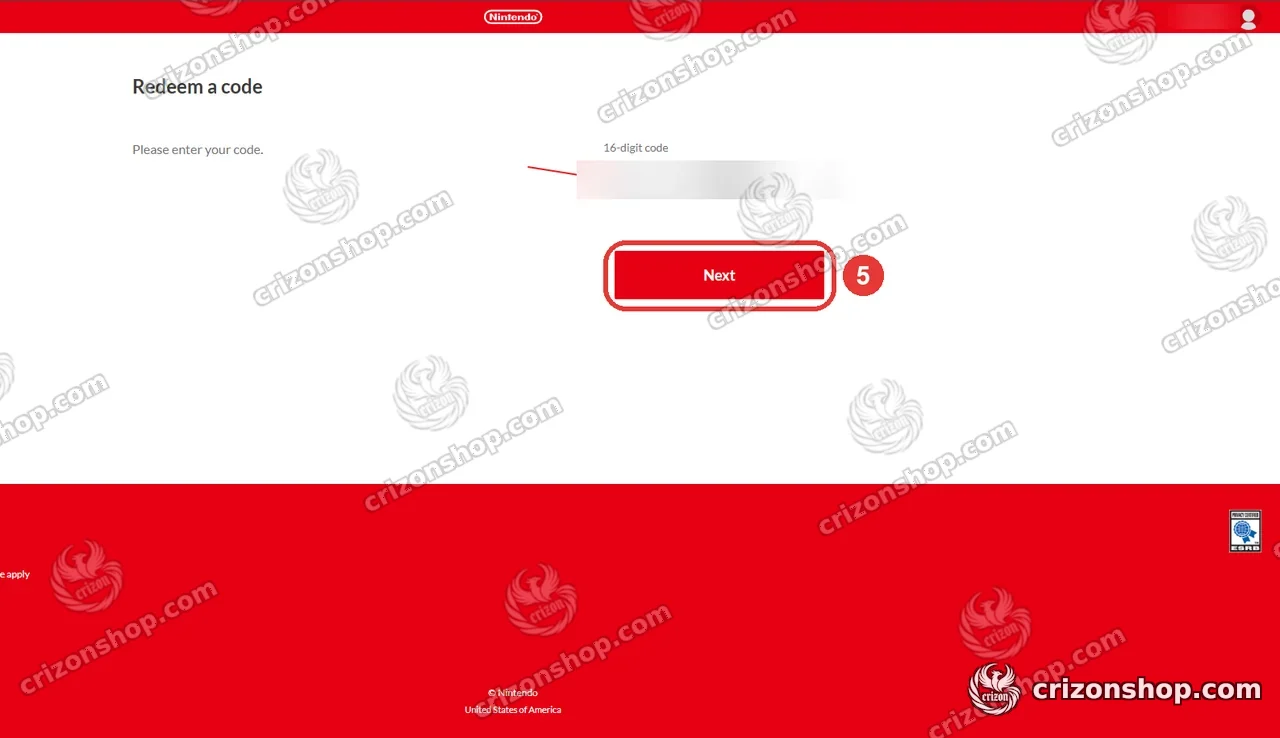
Click “Next” to continue. Enter your Nintendo Account password again when prompted.
Click Redeem to finish.
Once the code is redeemed, Nintendo sends a confirmation email to your account's email address.
Connect your console to the internet under System Settings › Internet.
On the HOME Menu, select the Nintendo eShop icon.
Select the user linked to the Nintendo Account you want to add funds to.
If you're asked for a password or PIN, enter it.
Select Enter Code in the left column. In some regions, this option appears as Redeem Code.
Enter the 16-character code, then select OK.
Follow the on-screen confirmation steps to finish.
Fixing redemption errors
| Problem | Common cause | How to fix it |
|---|---|---|
| Error 2813-0054 | Your Nintendo Account's country doesn't match the card's region | Check the country in your account, set it to the region printed on the card, then redeem again |
| You can't type a character | That character isn't used in codes (O, I, Z, hyphen) | Type 0 or 1 instead of a character that looks like O or I |
| The code says it's already been used | The code was already redeemed to an account | Check for a redemption confirmation email and check the other accounts on the same console |
| The card is torn or characters are missing | The full code can no longer be read | Contact Nintendo Support |
You can read Nintendo's explanation of this error on the Error Code 2813-0054 page.
Frequently asked questions
According to Nintendo, your account must have opened Nintendo eShop on a console at least once before you can redeem codes on the web. If your account is new and hasn't opened eShop on any console yet, do that first, then redeem on the web.
This error means the card was issued for a different country or region than the one set in your Nintendo Account. Check the region printed on the back of the card and compare it with your account's country. Then redeem again using an account from the matching region.
Each code can only be redeemed once and is tied to the account used to redeem it, so you can't move those funds to another account yourself. That's why you should check the account name in the top-right corner of the website, or the user selected on the console, before you confirm.
When you redeem on the web, Nintendo sends a confirmation email to your Nintendo Account's email address right after you click Redeem. You can also open Nintendo eShop on your console with the same account to check whether your balance has gone up.
Related guides
 How to Recover Your Steam Account When You've Lost Access to Your EmailHow to Change Your EA Account (Formerly Origin) Email and Password
 How to Redeem a Battle.net Code on the Web, Desktop, and Mobile
Still need help?
Send your order code and we can sort it out faster.
