 NoPing · Activate
How to Enter a NoPing Key to Activate a Plan on Your Account
Install NoPing on your computer, log in to your NoPing account on the website, paste your key into the Insert Key box on your account page, then log back in to the app to use your plan.
This guide shows you how to enter a NoPing key on your own NoPing account to unlock a ping-reduction plan for gaming. Then you log in to the desktop app to start using it. You enter the key on the NoPing website. In the app, you just log in with that same account to get the plan.
Before you start
Step 1: Download and install NoPing on your computer
Open NoPing's download page at noping.com/download.
Click Download for Windows to download the installer.
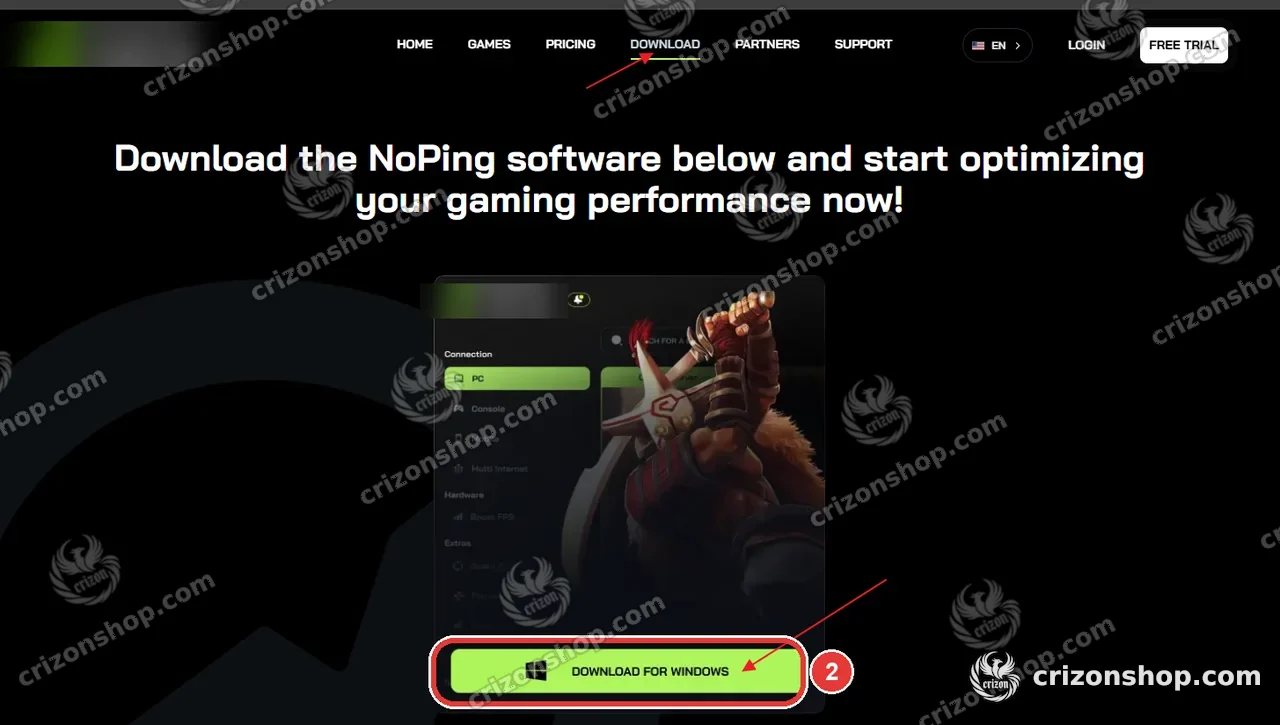
Click “DOWNLOAD FOR WINDOWS” to download the installer. Open the downloaded file and follow the installer until it finishes.
Step 2: Log in or create a NoPing account
Go to the noping.com homepage.
Click Login.
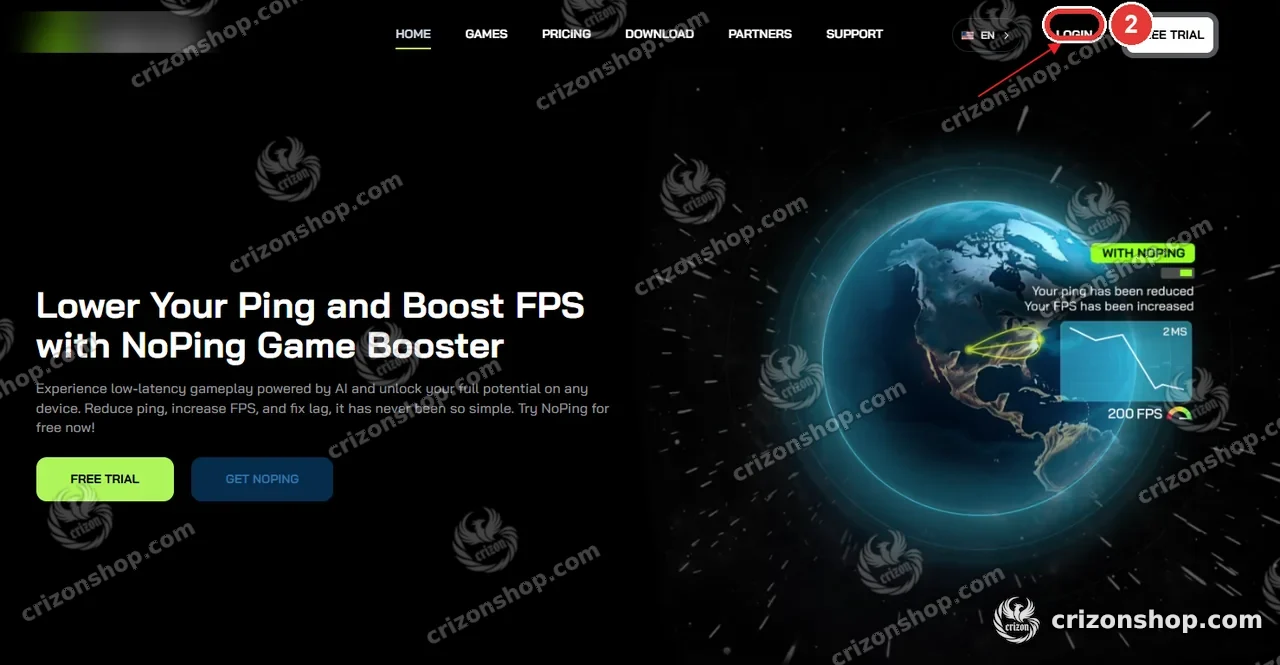
Click “LOGIN”. Enter your NoPing email and password to log in.
If you don't have an account yet, open NoPing's trial sign-up page, scroll to the bottom, and fill in your details to create an account. Once that's done, go back to the homepage and log in using the steps above.
Step 3: Enter your key on the account page
Once you're logged in, open your account page at noping.com/dashboard/overview.
Find the Insert Key box on this page.
Paste your NoPing key into the box.
Click the Insert Key button to confirm.
Wait for the page to confirm the key was accepted. Your plan is now active on your account.
Step 4: Log in to the app and start using it
Open the NoPing app you installed in Step 1.
Log in with the same email and password as the account you just added the key to.
Check that your plan shows up in the app, then pick the game you want to play to get started.
Frequently asked questions
Check that the app is logged in with the same email you used to enter the key. Then log out of the app, close it completely, reopen it, and log in again. You can also go back to your NoPing account page on the website to see whether the plan has been added.
First, copy the key again and paste it into the box, making sure to remove any extra spaces. If you still get an error and you bought the key from CrizonShop, go to Account → My orders, click Report a problem on that product, and attach a screenshot of the error message. You can also use Chat with Support in the corner of the screen on crizonshop.com.
Yes. The key is entered on your NoPing account through the website, so you need an account and must be logged in first. If you don't have one, sign up on NoPing's trial page, then use that same account to enter the key.
Related guides
 How to Recover Your Steam Account When You've Lost Access to Your EmailHow to Change Your EA Account (Formerly Origin) Email and Password
 How to Redeem a Battle.net Code on the Web, Desktop, and Mobile
Still need help?
Send your order code and we can sort it out faster.
