 MAGIX · Activate
How to Enter Your Music Maker Key and Download the Installer from MAGIX
Open the MAGIX Download Center, paste your key into the Serial number field, click Proceed, choose your version, then click Installation program to download the Music Maker installer. Then install it and activate it with the same key.
This guide shows you how to use your Music Maker key to download the installer from the official MAGIX website, install it, and activate it. All you need is your key and a computer with an Internet connection.
Before you start
Enter your key and download the installer
Open the MAGIX Download Center in a browser on your computer.
Paste your key into the Serial number field.
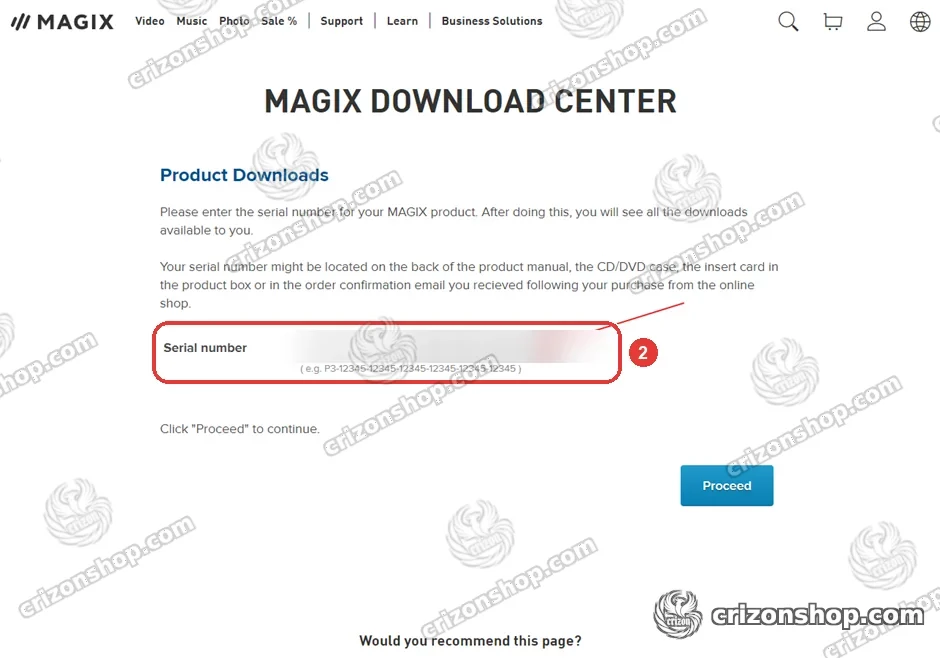
Paste your key into the “Serial number” field. Click Proceed so the page can check your key.
Choose the Music Maker version you want to use. If the page asks you to pick a language pack, choose the language you're most comfortable with.
Click Installation program to download the setup file to your computer.
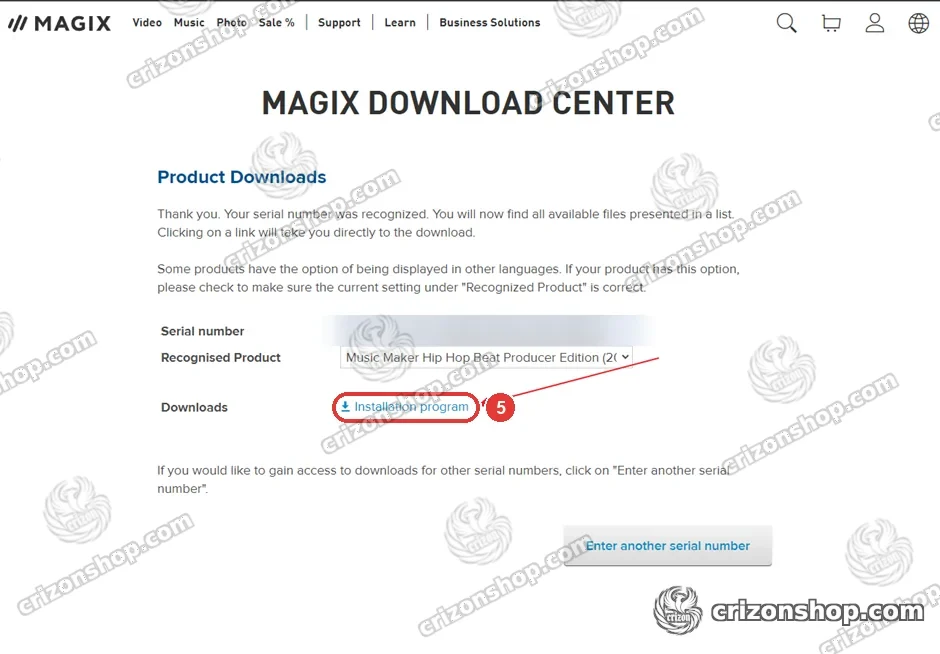
Click “Installation program” to download the setup file to your computer.
Install Music Maker
Open the folder with the file you just downloaded. This is usually your Downloads folder.
Double-click the setup file.
When Windows asks whether you want to allow the app to make changes to your device, select Yes.
Follow the installer's steps until setup is complete.
Activate with your key
According to MAGIX's guide, the program usually asks for your serial number the first time you open it, and often right at the end of installation. Paste the same key you used to download the installer into the field in the activation window, then confirm.
We also recommend registering the product to your MAGIX account. Once it's registered, Music Maker appears under My Products in the MAGIX Service Center. From there, you can download the installer again and look up your serial number whenever you need it.
Frequently asked questions
First, paste the key again and check for extra spaces. If what you have is a voucher code for redeeming a product rather than a serial number, the Serial number field won't accept it. In that case, sign in to your MAGIX account and use Redeem voucher code on the MAGIX support site to redeem it. If it still doesn't work, contact MAGIX Technical Support.
Yes. Use your existing key to download the installer from the MAGIX Download Center. If you registered the product to your MAGIX account earlier, you can also sign in to the MAGIX Service Center and download it again from My Products.
If you closed the activation window the first time you opened the program, some sounds, features, or instruments in the version you bought may still be locked. MAGIX has a separate page that explains how to activate sounds, features, and instruments in Music Maker with your serial number. Follow the steps on that page to unlock them.
Related guides
How to Register and Activate a MAGIX Software Key How to Activate a GRFX Studio Key for Corel PaintShop Pro
 How to Activate Adobe Acrobat Classic with a Serial Number
Still need help?
Send your order code and we can sort it out faster.
